DaVinci Resolve Fusion and After Effects can both composite a tracked screen, key a green background and animate a title. That overlap makes the usual “nodes versus layers” summary look complete when it is only the start.
The real decision is where the shot comes from, how often it will change, who must edit it next and where the finished result has to live.
Quick verdict: start with Fusion when visual effects belong to clips already being edited, graded and delivered in DaVinci Resolve, especially for tracking, keying, cleanup and multi-step shot composites. Start with After Effects when the work is driven by typography, shape animation, expressions, Adobe assets or reusable Motion Graphics templates for Premiere.
Keep both when a project genuinely contains both kinds of work.
Choose by the job, not the interface
| Recurring job | Better first test | Reason |
|---|---|---|
| Tracked screen replacement inside a Resolve edit | Fusion | The clip, composite, grade and delivery remain in one project |
| Animated brand package with many text variations | After Effects | Layer animation, expressions and the motion-design ecosystem fit the task |
| Green-screen composite with several masks and corrections | Fusion | A node tree makes image routing and mask reuse explicit |
| Editable lower thirds for a Premiere team | After Effects | MOGRT can expose approved controls directly in Premiere |
| Cleanup, roto and integration before a Resolve grade | Fusion | The result can pass directly into the Color page |
| Character, type and shape-led motion design | After Effects | Its layer, precomp, expression and template workflows are mature |
These are starting points, not software laws. An experienced Fusion artist can build excellent broadcast graphics, and an experienced After Effects compositor can finish difficult live-action shots. The better application is the one whose project structure remains readable after the third revision, not the one that wins a feature checklist.
What you are actually paying for
The Fusion page is included in DaVinci Resolve 21, including the free desktop application. Blackmagic currently lists Resolve Studio 21 at $295 as a one-time purchase.
Studio adds specific tools and capabilities, but a beginner can learn the core node, merge, mask, keyframe, tracking and title workflow without buying it. Our Free vs Studio guide helps identify the exact feature that justifies an upgrade.
Adobe sells After Effects by subscription. On September 5, 2026, the US After Effects plan page listed the individual single-app plan at $22.99 per month on an annual commitment billed monthly. Adobe says After Effects is not sold as a perpetual license and offers a seven-day full trial.
The single-app plan lists the desktop application, Adobe Express Premium, Frame.io, 100GB of cloud storage and 25 monthly generative credits. Prices vary by country, tax, billing term and promotion, so confirm the final renewal amount in your own regional checkout.
Don't compare $295 with one month of Adobe and stop there. Record the cost over the period you expect to use the application, then include the software around it.
After Effects may be easier to justify when a team already pays for Premiere, Photoshop, Illustrator, fonts and Creative Cloud libraries. Fusion may be easier to justify when the edit, grade, mix and delivery already happen in Resolve.
Nodes and layers store different kinds of logic
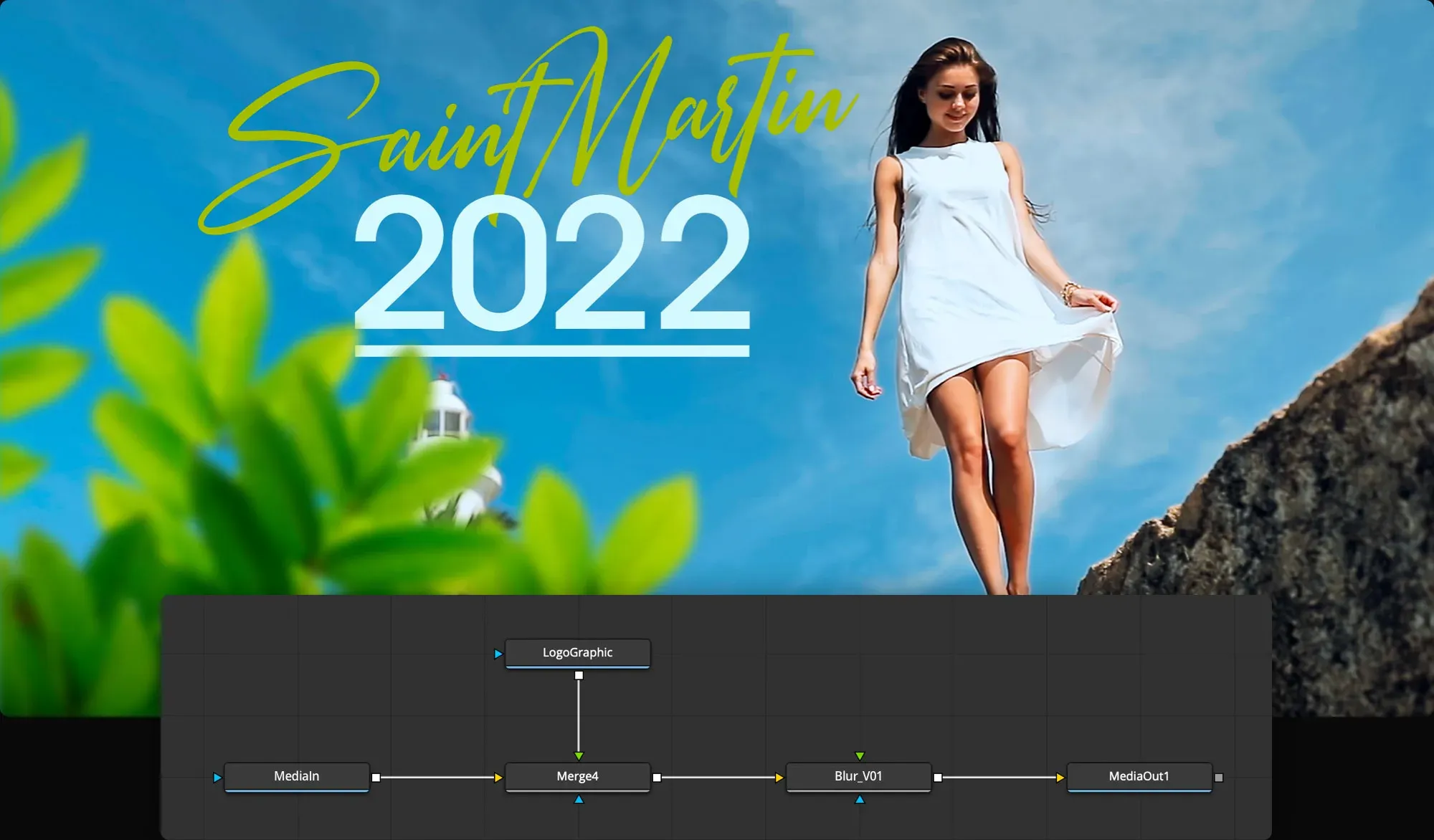
Fusion represents processing as a flow. A MediaIn node feeds a keyer, a mask limits a correction, a tracker supplies motion and a Merge combines foreground with background.
Branches can reuse one source or matte. When a composite fails, you can inspect the image at different points in the tree and see which operation introduced the problem. The Fusion nodes guide covers that signal flow before you build a large comp.
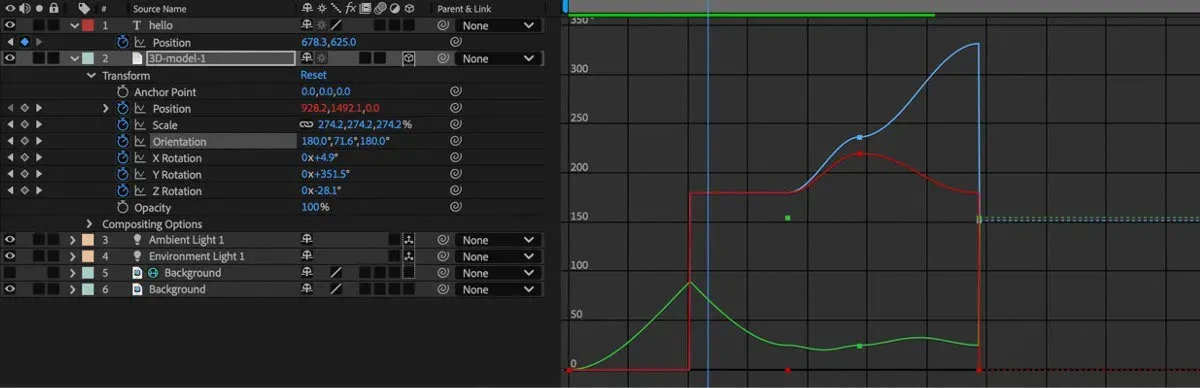
After Effects organizes a composition around a layer-based timeline. Transform properties, effects, masks, mattes, parenting, precomps and expressions build the result over time. This is direct for motion design because the question is often “when does this element enter, move and leave?”
The cost is that a large project can hide relationships across collapsed properties and nested compositions unless naming and organization are disciplined.
Neither structure is automatically easier. Layers feel familiar to people coming from Photoshop or Illustrator. Nodes often become clearer when one source must feed several operations or one matte must control several branches. Give each method the same task before declaring that your brain “works” only one way.
Run the same ten-second shot through both
A useful comparison needs the same source and the same revision. Choose a ten-second moving shot with a screen, a foreground obstruction and enough camera motion to expose a weak track.
Add a replacement graphic, match its perspective, place it behind the obstruction, soften the composite and animate a short title. Keep the source resolution, frame rate and final codec identical.
| Checkpoint | Record | Failure to watch for |
|---|---|---|
| Setup | Time until the first editable composite | Wrong color, frame rate or source interpretation |
| Track | Manual repairs after the automatic pass | Drift, perspective slip or occlusion failure |
| Composite | Steps needed to reuse masks and corrections | Hidden dependencies or duplicated work |
| Animation | Time to change timing and easing | Keyframes scattered across an unclear structure |
| Revision | Time to replace the graphic and extend the shot | A fast first pass that is expensive to alter |
| Handoff | Missing fonts, effects, media and instructions | A project that opens but cannot be reproduced |
Don't use this as a universal performance benchmark. Cache state, codec, effects, GPU, CPU, memory, plug-ins and project structure can reverse a render result. The useful measurement is whether your own workstation completes the full edit, revision and handoff loop without fragile workarounds.
Fusion fits shot-based compositing inside Resolve
Fusion becomes compelling when the effect is attached to editorial context. Open a clip from the Resolve timeline, build the comp, return to Edit, grade it in Color and deliver from the same project.
Blackmagic's own workflow includes 2D and 3D tools, planar and point tracking, keying, paint, masks, particles, titles, spline animation and reusable macros. The Fusion task hub routes each of those jobs without turning the hub into another manual.
The node graph is especially useful for composites with several dependencies. A tracked matte can limit multiple corrections. A foreground branch can be treated separately before the final Merge. A clean plate can feed paint and restoration operations without duplicating the source.
That structure does not make a difficult key or roto automatic, but it makes the reasoning visible.
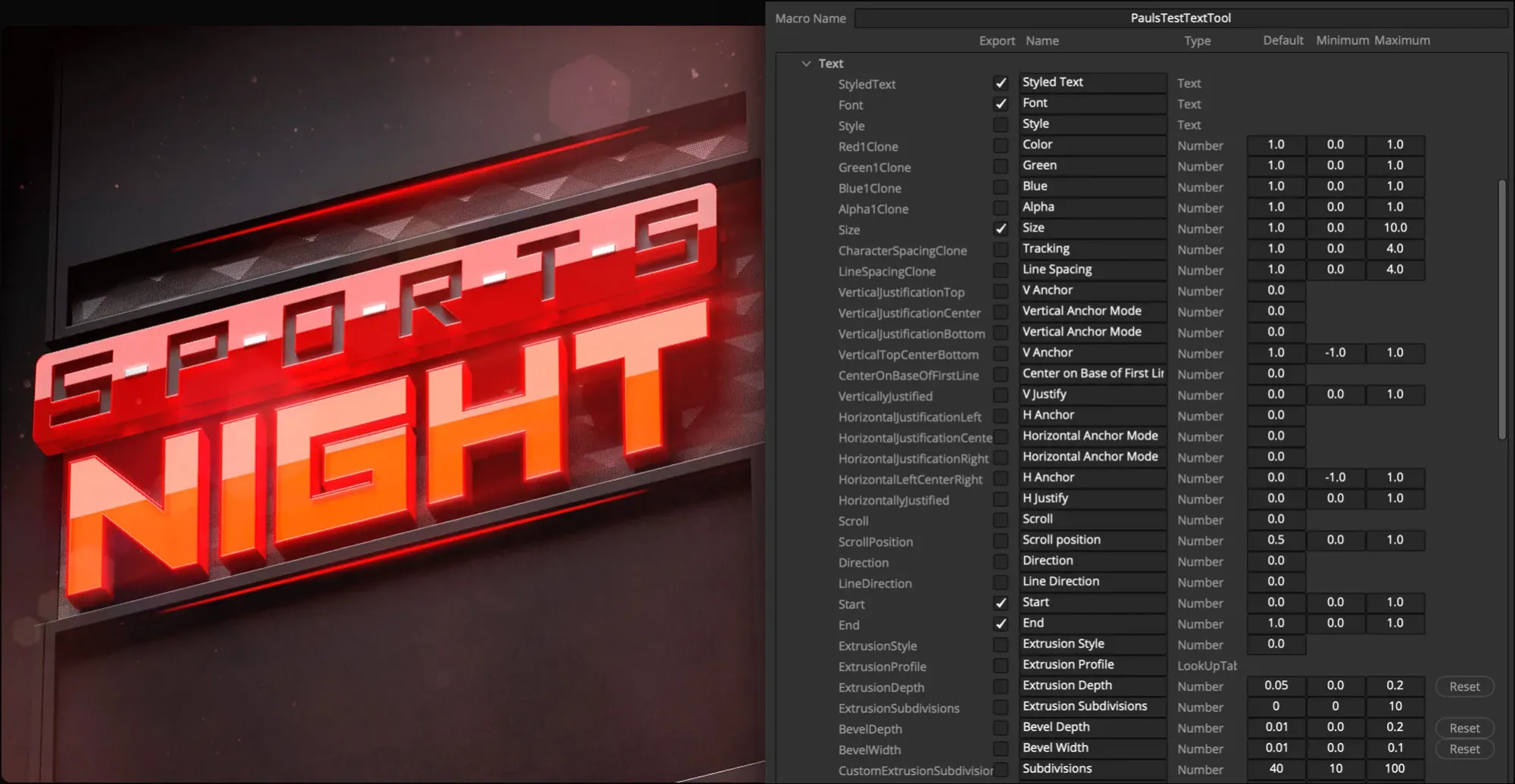
Resolve 21 also improves the path from a comp to a reusable edit asset. Blackmagic's own Resolve 21 New Features Guide documents the updated Macro Editor and the option to save a macro as an Edit template.
That matters for lower thirds and repeatable effects, but it isn't the same delivery ecosystem as an After Effects MOGRT. Test how much control an editor needs and whether the template will be used in Resolve or Premiere.
After Effects fits motion design and Premiere delivery
After Effects is built around motion graphics as a first-class job. Adobe's current feature set covers text and shape animation, presets, tracking, keying, Content-Aware Fill, an integrated 3D workspace and AI Object Matte.
Expressions can connect properties and produce controlled variations. Photoshop and Illustrator assets fit naturally into a design pipeline that already uses Adobe applications.
The strongest workflow advantage appears when another editor works in Premiere. Adobe's Motion Graphics template workflow lets a designer package a composition and expose only approved controls such as text, color and replaceable media.
The Premiere editor can make safe changes without opening the whole After Effects project. Some template features and third-party effects still require After Effects to be installed, so validate that dependency before delivery.
After Effects is also a capable compositor. Tracking, mattes, keying, roto, paint and effects can solve real shots. The reason to prefer Fusion for some composites isn't that layers can't do the work. It is that a node tree can expose complex image routing more clearly, especially when several mattes and branches interact.
Tracking, keying and roto need footage tests
Feature names are poor evidence for difficult footage. A tracker that holds on a sharp daylight sign may fail on motion blur, reflections or an object that leaves the frame.
A one-click matte may look convincing in a small viewer but chatter around hair at delivery resolution. A key can remove green while leaving spill, noisy edges and mismatched light.
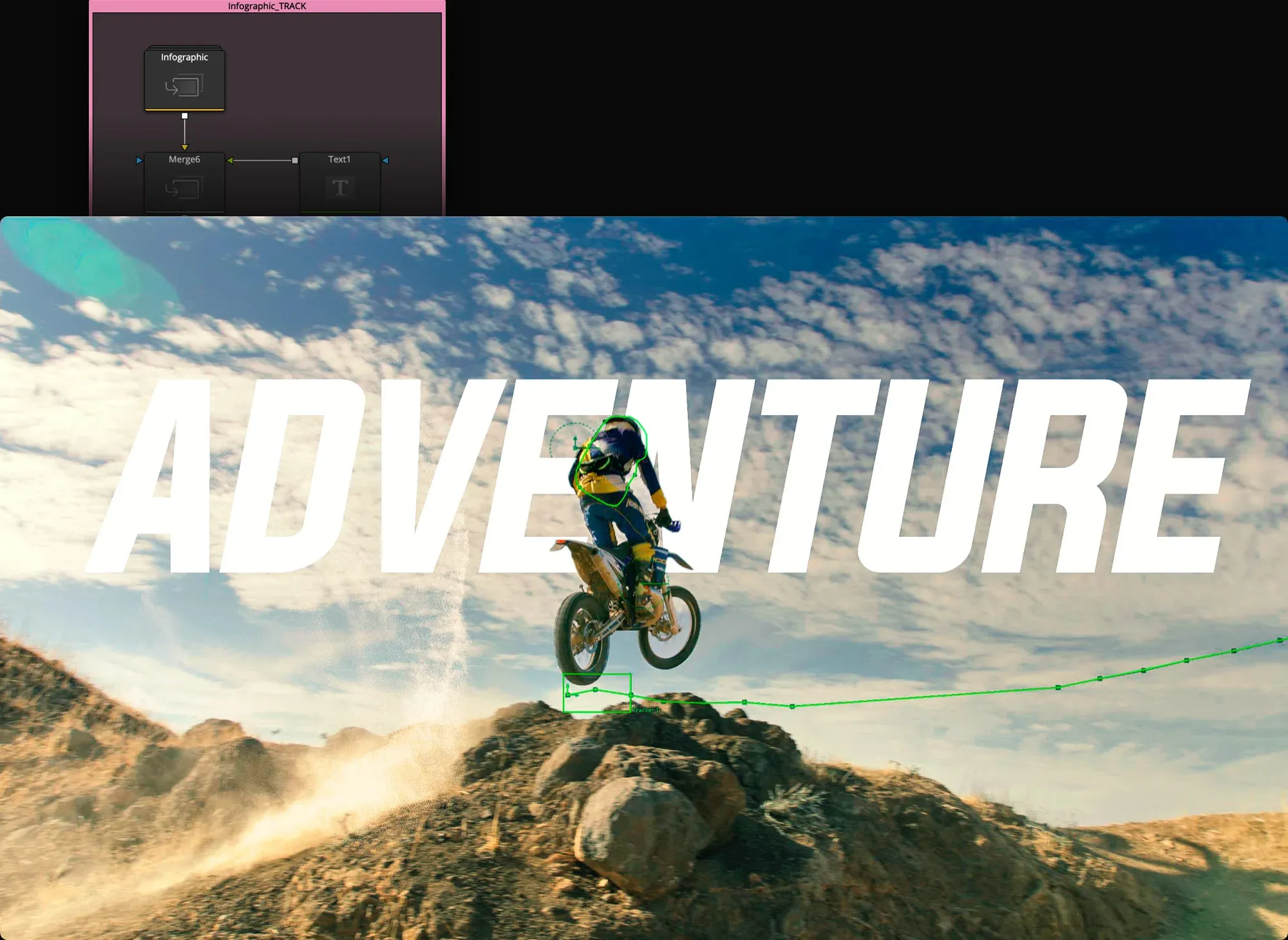
Use three short problem shots from your actual work: one with occlusion, one with hair or fine detail, and one with camera noise or compression. Count manual corrections and inspect the final export frame by frame. For Fusion, the tracking workflow, rotoscoping guide and green-screen keying guide provide the task-specific checks.
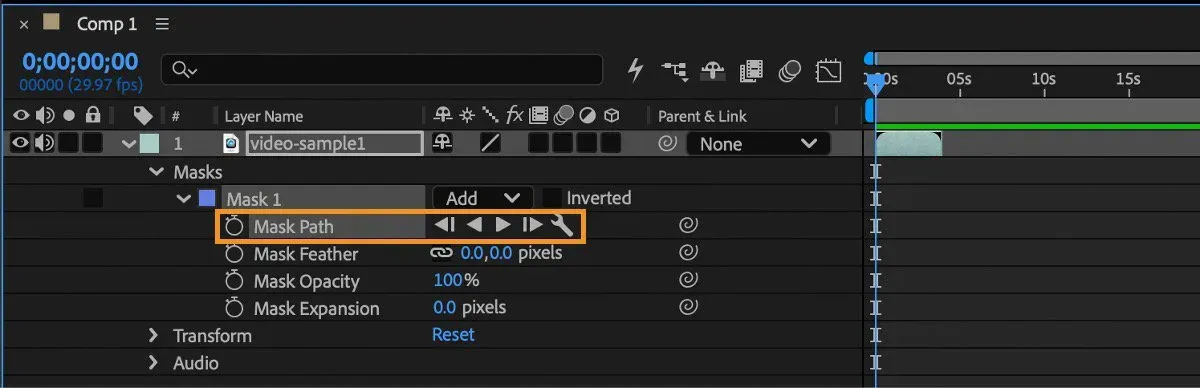
Some automated tools differ between free and paid tiers, and their names change across releases. Verify the exact tool in the installed build instead of buying software because a comparison page promises “AI rotoscoping.” Manual mask quality, edge refinement and a reproducible project structure still matter after the automated first pass.
Handoff is where the workflows separate
Fusion stays closest to Resolve editorial. That removes an application boundary, but a collaborator still needs the correct Resolve version, fonts, plugins, media and project assets. Use a duplicate project or archive, open it on the receiving workstation and verify one change plus one render. A successful upload isn't a successful handoff.
After Effects has a tighter live relationship with Premiere through Adobe Dynamic Link. Adobe says Premiere and After Effects must be on matching versions and warns that Dynamic Link will not work when the app versions differ.
It also notes that complex linked compositions can delay playback and recommends Render and Replace when needed. Dynamic Link is useful, but it doesn't remove version management, caching or the need for a stable render fallback.
Moving an editable composition between Fusion and After Effects is not a normal one-click interchange. Preserve source media, reference renders, alpha channels, mattes, camera data where supported, font records and a written description of the intended result.
For client delivery, a high-quality rendered intermediate is often safer than assuming every proprietary effect and expression will translate.
Performance depends on the comp you build
Performance depends on the comp and hardware, not a one-line GPU-versus-CPU rule. Adobe's After Effects 26.3 system requirements, checked on September 5, 2026, recommend that Windows users have 32GB or more RAM for 4K and higher, 8GB of GPU memory and a fast internal SSD for the application and cache.
On macOS, Adobe recommends Apple silicon M1 Pro, M1 Max, M1 Ultra or newer and 16GB of unified memory. Minimum specifications do not promise smooth playback.
Test with the codec, resolution and effects you actually use. Clear and warm the cache deliberately, record preview behavior and render to the same delivery format. Then change one thing at a time.
If a comp is slow, inspect project structure before assuming a hardware purchase will fix it: oversized sources, unbounded effects, repeated calculations, deep precomps, high sample counts and unnecessary motion blur can dominate the result.
The decision should survive a revision under deadline. A workflow that renders five percent faster but takes twice as long to diagnose isn't faster in production.
A practical learning path
If you already edit in Resolve, spend the first week inside Fusion before adding another subscription. Learn MediaIn and MediaOut, Merge, Transform, masks, Tracker, Text+, keyframes and the Spline editor. Build one screen replacement and one lower third. The Fusion beginner tutorial gives those tools a project instead of presenting a list of buttons.
If your work is primarily animated design, or the team expects AEP and MOGRT delivery, start in After Effects. Learn composition settings, layers, parenting, masks, shape layers, graph editing, precomps, expressions and project collection. Build a title package with three exposed variations and hand it to a Premiere editor before calling the template finished.
A mixed pipeline can be the correct answer. Finish tracked cleanup and shot composites in Fusion, render a documented intermediate, then create the title package in After Effects.
Or keep an After Effects brand system while the main program is edited, graded and mixed in Resolve. A studio centered on Nuke compositing or Cinema 4D scenes should test that existing interchange too; this two-application comparison is only one boundary in a larger pipeline. Add a boundary only where the next application earns it.
For editor-level choices around Premiere, Final Cut Pro, CapCut and Resolve editions, use the DaVinci Resolve comparisons hub. It keeps this page focused on the Fusion-versus-After-Effects production boundary instead of turning it into a generic scorecard.
Frequently asked questions
Is Fusion better than After Effects?
Fusion is often the stronger first test for node-based shot compositing inside a Resolve project. After Effects is often the stronger first test for typography, shape animation, expressions and Premiere Motion Graphics templates. Neither is universally better because the production job and handoff differ.
Can Fusion replace After Effects?
Fusion can replace After Effects for many tracking, keying, cleanup, compositing, title and motion-graphics tasks. It isn't a drop-in replacement for an established After Effects pipeline built around AEP files, MOGRT, expressions, Adobe assets or third-party templates. Test one representative project before migrating.
Is Fusion free with DaVinci Resolve?
Yes. The Fusion page is included in the free edition of DaVinci Resolve 21. Resolve Studio is a separate paid edition with additional tools and capabilities. Learn the core Fusion workflow in the free edition, then upgrade only when a named Studio feature blocks real work.
Which is easier to learn, Fusion or After Effects?
After Effects layers may feel more familiar to designers coming from Photoshop or Illustrator. Fusion nodes may become clearer for editors who need to see how several image-processing branches connect. The fastest way to decide is to build the same small composite in both, including one revision.
Can After Effects work with DaVinci Resolve?
Yes, but Resolve doesn't use Adobe Dynamic Link. A reliable workflow renders a high-quality intermediate from one application and imports it into the other, with alpha where needed. Preserve source media, color assumptions, frame rate and a reference render, then test the return path before the deadline.
Which is better for motion graphics?
After Effects is usually the better first choice for typography, shape animation, expressions, character-style work and reusable Premiere templates. Fusion can handle strong motion graphics and is convenient when the result belongs in a Resolve edit. The destination and revision model should decide.
Choose Fusion when the shot needs to remain part of Resolve's post-production chain. Choose After Effects when motion design and Premiere delivery define the project. If both conditions are real, use a documented render boundary instead of forcing one application to imitate the other.
