Home Tutorials
DaVinci Resolve topic library
Tutorials
Step-by-step DaVinci Resolve tutorials covering editing, color, Fusion, and audio.
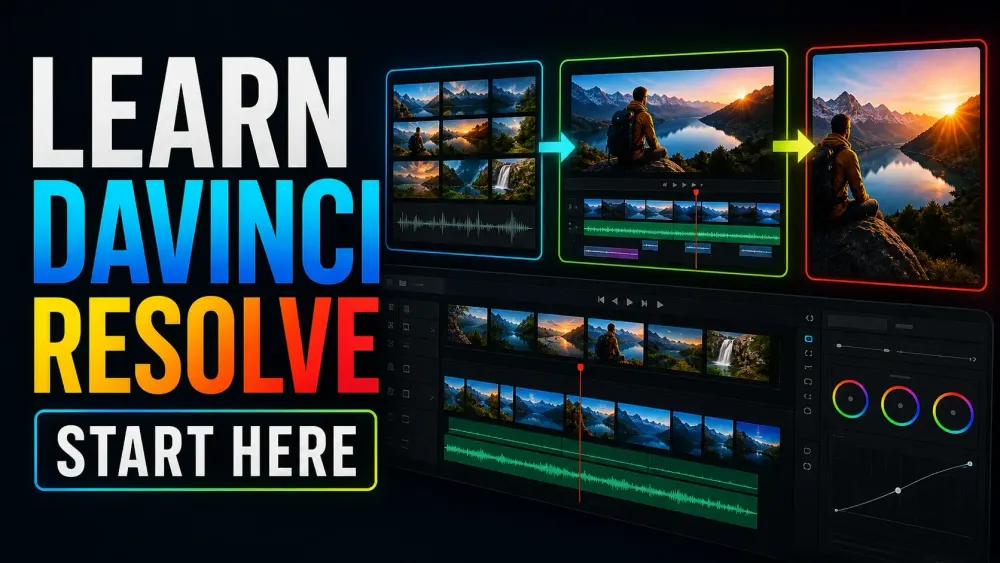
What this library covers
Choose the task, then open one focused guide
Choose by the result you need, not by the name of a Resolve page or tool. Each card takes one job from the first setting to a result you can check.
Start with the resultPick the card that matches what you need to finish, fix or understand.
Use one guide at a timeEach article owns one task, so you do not have to decode a giant index.
Move to the next real stepRelated tasks stay visible without repeating every link on the page.
Choose the task
Guides in this library
One card opens one focused guide. Covers stay visible, and the same article is not repeated in a second link list.
 DCTL Not Showing in DaVinci Resolve: Missing Files and Blank Controls
If the DCTL effect is missing, check for Resolve Studio. If your file is absent from DCTL List, check the active LUT folder and file type, then restart Resolve. Blank controls may be normal if that DCTL defines none.
DCTL Not Showing in DaVinci Resolve: Missing Files and Blank Controls
If the DCTL effect is missing, check for Resolve Studio. If your file is absent from DCTL List, check the active LUT folder and file type, then restart Resolve. Blank controls may be normal if that DCTL defines none.
 HDR Delivery from DaVinci Resolve: PQ, HLG and SDR Versions
Choose PQ or HLG for the actual destination, keep the timeline grading space stable, verify the rendered HDR file, and review a separate SDR output.
HDR Delivery from DaVinci Resolve: PQ, HLG and SDR Versions
Choose PQ or HLG for the actual destination, keep the timeline grading space stable, verify the rendered HDR file, and review a separate SDR output.
 Sony S-Log3 in DaVinci Resolve: Input, Exposure and Color
Match Sony S-Gamut3.Cine or S-Gamut3 to S-Log3, normalize once with RCM or CST, then balance exposure and color before adding a look.
Sony S-Log3 in DaVinci Resolve: Input, Exposure and Color
Match Sony S-Gamut3.Cine or S-Gamut3 to S-Log3, normalize once with RCM or CST, then balance exposure and color before adding a look.
 DaVinci Resolve Film Look Creator: A Practical Workflow and Its Limits
Build a film-inspired grade with Film Look Creator in Resolve Studio. Set the color pipeline, control the three blends, add texture deliberately and know what a LUT can carry.
DaVinci Resolve Film Look Creator: A Practical Workflow and Its Limits
Build a film-inspired grade with Film Look Creator in Resolve Studio. Set the color pipeline, control the three blends, add texture deliberately and know what a LUT can carry.
 DaVinci Resolve Super Scale: Upscale 1080p to 4K Without False Promises
Upscale 1080p footage to a 4K timeline with Super Scale in DaVinci Resolve Studio. Learn where to find it, what it can improve, what it cannot restore and how to keep the render manageable.
DaVinci Resolve Super Scale: Upscale 1080p to 4K Without False Promises
Upscale 1080p footage to a 4K timeline with Super Scale in DaVinci Resolve Studio. Learn where to find it, what it can improve, what it cannot restore and how to keep the render manageable.
 How to Reduce Room Echo in DaVinci Resolve
Reduce echoey dialogue in DaVinci Resolve with a practical Fairlight chain. Learn when to use Voice Isolation, EQ, dynamics and automation, and why room reverb cannot always be removed cleanly.
How to Reduce Room Echo in DaVinci Resolve
Reduce echoey dialogue in DaVinci Resolve with a practical Fairlight chain. Learn when to use Voice Isolation, EQ, dynamics and automation, and why room reverb cannot always be removed cleanly.
 How to Fix Audio Clicks and Pops in DaVinci Resolve
Separate edit clicks from playback crackling, then fix each cause in DaVinci Resolve with clean clip boundaries, short fades, zero-crossing edits and Fairlight diagnostics.
How to Fix Audio Clicks and Pops in DaVinci Resolve
Separate edit clicks from playback crackling, then fix each cause in DaVinci Resolve with clean clip boundaries, short fades, zero-crossing edits and Fairlight diagnostics.
 How to Import an Image Sequence in DaVinci Resolve
Import PNG, JPEG or EXR frames as one clip in DaVinci Resolve. Fix separate-image imports, numbering gaps, wrong frame rates and sequences that will not assemble.
How to Import an Image Sequence in DaVinci Resolve
Import PNG, JPEG or EXR frames as one clip in DaVinci Resolve. Fix separate-image imports, numbering gaps, wrong frame rates and sequences that will not assemble.
 ACES vs DaVinci Resolve Color Management: Which Color Workflow Fits Your Project?
Compare ACES and Resolve Color Management without a fake winner. See how input transforms, working space, output transforms, handoff and LUT compatibility change the decision.
ACES vs DaVinci Resolve Color Management: Which Color Workflow Fits Your Project?
Compare ACES and Resolve Color Management without a fake winner. See how input transforms, working space, output transforms, handoff and LUT compatibility change the decision.
 DaVinci Resolve Color Warper: Change Hue and Chroma Without Breaking the Image
Use Color Warper in DaVinci Resolve to bend hue and chroma with a visible grid. Learn Normal and Chroma Warp modes, when to use strokes or points, and how to keep skin and neutrals stable.
DaVinci Resolve Color Warper: Change Hue and Chroma Without Breaking the Image
Use Color Warper in DaVinci Resolve to bend hue and chroma with a visible grid. Learn Normal and Chroma Warp modes, when to use strokes or points, and how to keep skin and neutrals stable.
 DaVinci Resolve HDR Color Wheels: How to Use HDR Zones Without Guesswork
Learn what HDR Color Wheels actually change in DaVinci Resolve, when to use them instead of Primary or Log wheels, and how to shape shadows, skin and highlights without wrecking the grade.
DaVinci Resolve HDR Color Wheels: How to Use HDR Zones Without Guesswork
Learn what HDR Color Wheels actually change in DaVinci Resolve, when to use them instead of Primary or Log wheels, and how to shape shadows, skin and highlights without wrecking the grade.
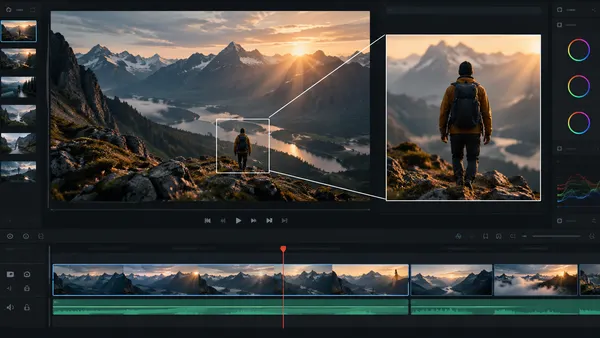 How to Zoom in DaVinci Resolve: Dynamic Zoom and Keyframes
Learn how to zoom a clip, pan across a photo and keep a subject in frame in DaVinci Resolve. Compare Dynamic Zoom with Inspector keyframes and fix common jumps, softness and wrong-direction moves.
How to Zoom in DaVinci Resolve: Dynamic Zoom and Keyframes
Learn how to zoom a clip, pan across a photo and keep a subject in frame in DaVinci Resolve. Compare Dynamic Zoom with Inspector keyframes and fix common jumps, softness and wrong-direction moves.