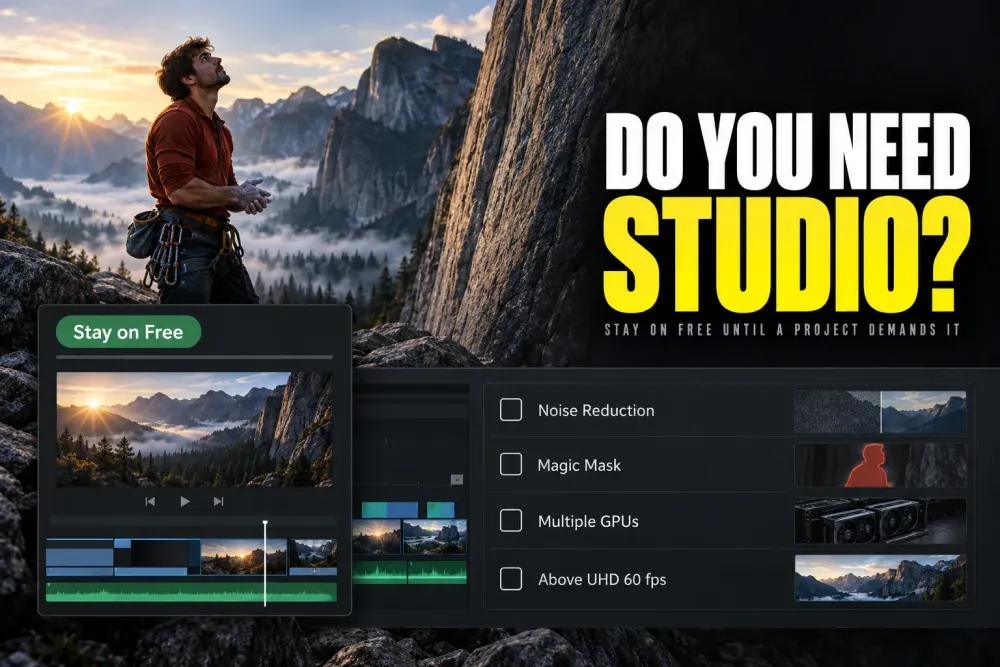
Quick answer: start with DaVinci Resolve Free. Pay for Studio only when a current project needs a documented paid capability: video noise reduction, Magic Mask or another named AI tool, a supported hardware-codec path, multiple GPUs, advanced HDR or immersive delivery, or output above Ultra HD 3840 x 2160 at 60 fps.
Free and Studio share the same core Edit, Fusion, Color, Fairlight and Deliver workflow. Buying Studio won't make an ordinary 1080p or Ultra HD edit look better by itself. It lifts specific limits. So name the blocker, test it with real media, and then ask whether the current $295 US desktop license removes enough repeated work to pay for itself.
Every feature and limit in the no-cost edition is listed in the Resolve 21 Free feature inventory, and desktop, Cloud rental, iPad and hardware-bundle licensing are covered in the current Resolve price and licensing guide. This page answers one narrower question: does Studio remove a tested blocker in your work?
Free vs Studio at a Glance
Use the table to find the limit that actually touches your work. The 32K/120 ceiling isn't a playback promise, because a supported codec path still depends on your computer.
| Requirement | Free | Studio adds | Decision test |
|---|---|---|---|
| Desktop price | $0 | $295 US list price | Check current regional checkout |
| Maximum output | Ultra HD 3840 x 2160 at up to 60 fps | Up to 32K at 120 fps | Use the delivery specification, not the largest preset |
| Video formats | Supported profiles vary by OS; not a universal 8-bit-only rule | Additional professional profiles and delivery paths | Check OS, container, codec, profile, decode and encode |
| Color | Core node grading, curves, qualifiers, windows, tracking and HDR grading | Temporal/AI spatial NR, Magic Mask, advanced HDR and extra FX | Test the difficult shot |
| AI and text | Core manual workflows | Neural Engine, text-based editing and named AI tools | Confirm the exact command in the current release |
| GPU and codecs | One processing GPU on Windows and Linux in 21.1 | Multiple processing GPUs; additional platform-dependent codec acceleration | Benchmark the real media on the finishing machine |
| Collaboration | Included | Included, with paid processing and delivery additions | Choose the edition from team requirements, not collaboration alone |
| Audio and delivery | Core Fairlight workflow | More Fairlight FX, immersive audio, Dolby Vision and HDR10+ | Start from the required mix and master |
| Python scripting in 21.1 | Requires Studio | Python and advanced scripting | Check your automation tool’s supported builds |
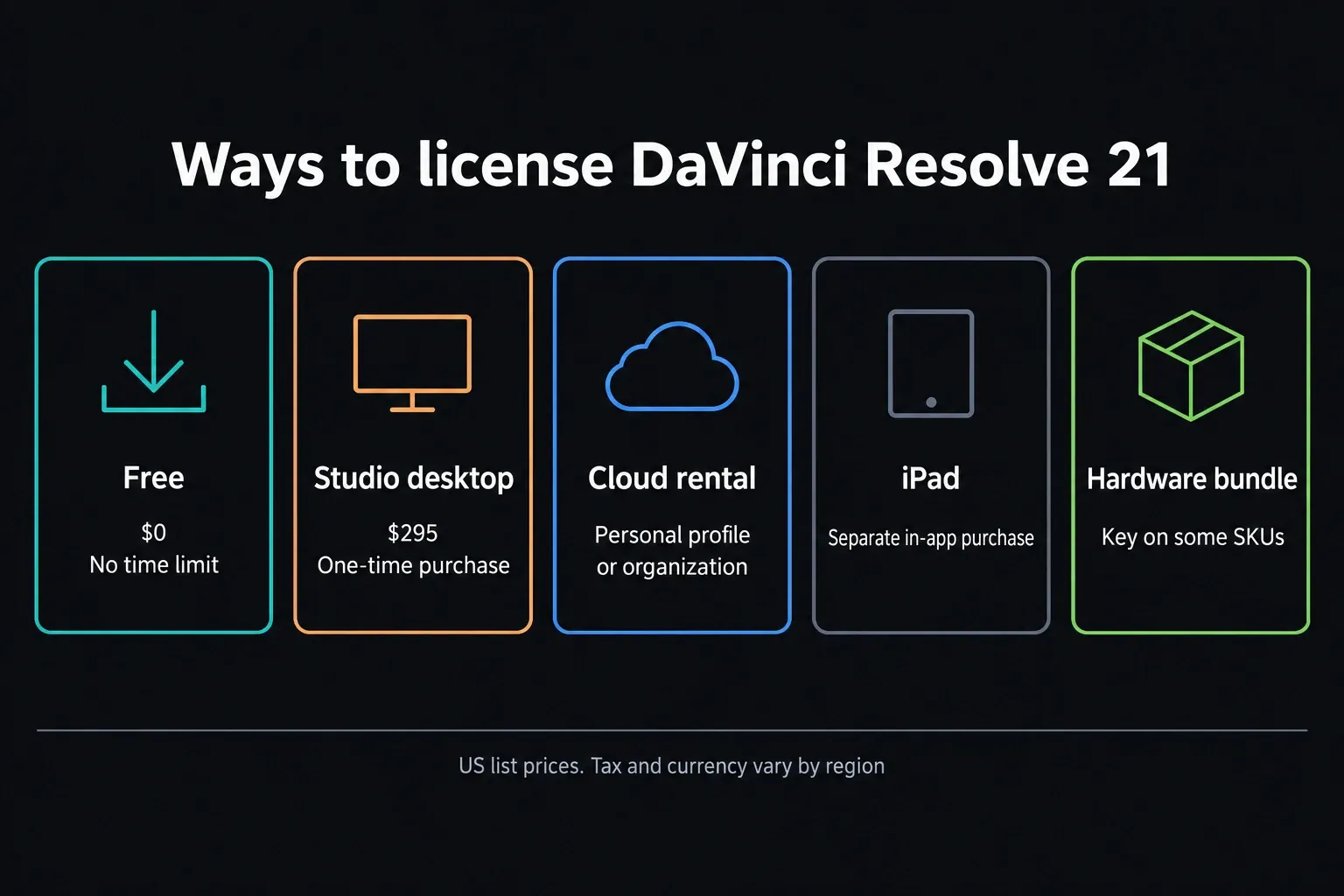
Blackmagic's current US Studio page lists Resolve 21 Free at $0 and Studio at $295. Tax, regional currency and reseller totals can differ. The standard desktop Studio license is a one-time purchase, and no consumer subscription is required. Blackmagic Cloud rental licenses can run through a personal profile or be managed by an organization, and the separate iPad purchase is another licensing path again. The edition limits below match Blackmagic's notes for Resolve 21.1.1 build 10.
What Stays the Same in Free and Studio
After an upgrade, the project architecture feels exactly the same. Media, Cut, Edit, Fusion, Color, Fairlight and Deliver all work on the same project, and Resolve 21 adds the Photo page to both. Free is its own edition with no time limit, so it isn't a Studio trial, and work that uses only Free-supported native tools carries no general application watermark. Blackmagic’s Resolve 20 beginner guide documents the one exception: Studio-only Resolve FX show a Studio watermark in Free. Remove that effect or use Studio, then check the affected range again. Third-party trial plug-ins follow their own rules.
For editing, both editions give you the normal timeline, trimming, tracks, titles, keyframes and page workflow, and Studio adds paid processing and effects around that base. A locked effect in a tutorial doesn't mean the whole editing task needs Studio. There's often a manual or included route to the same practical result.
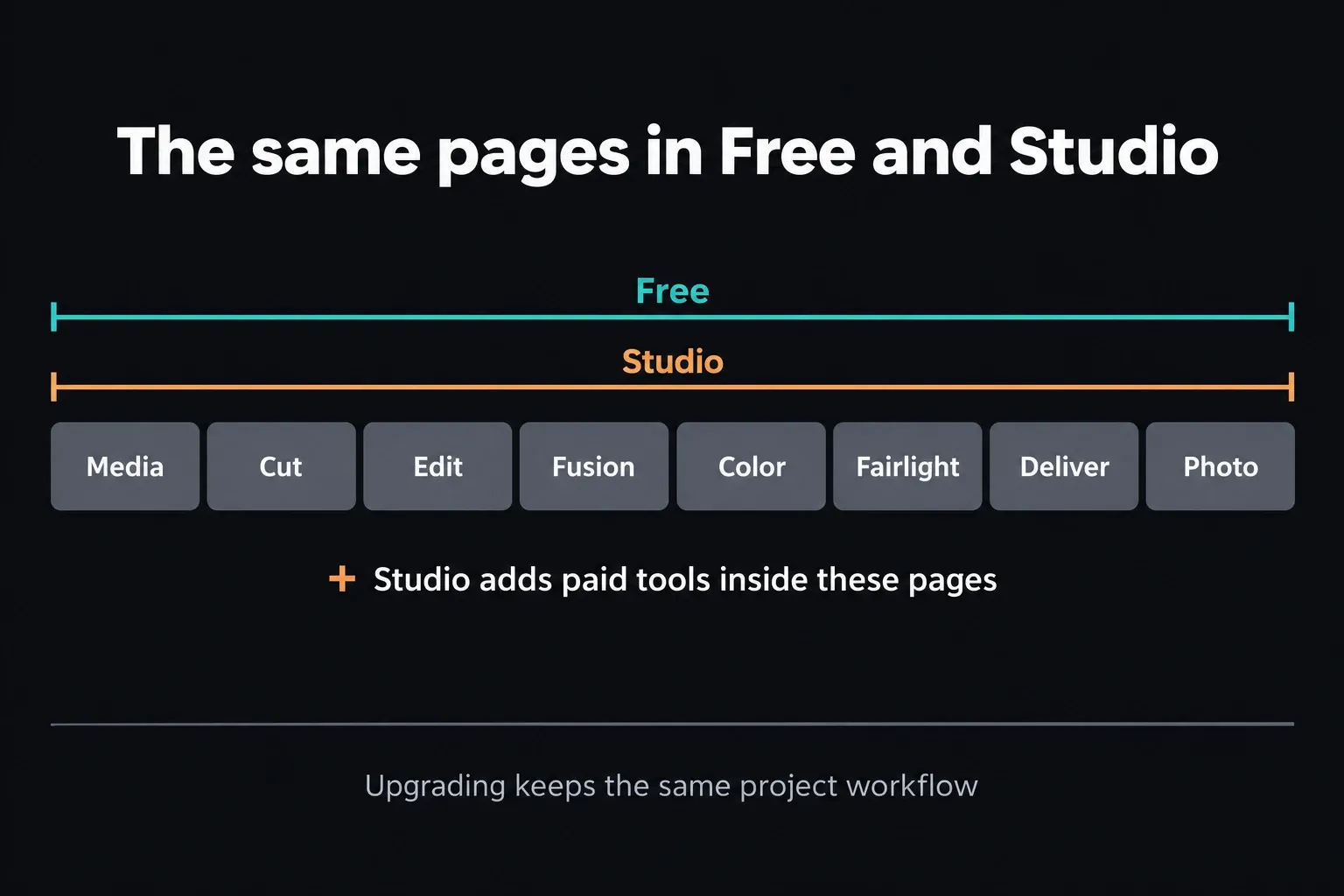
Multi-user collaboration is included in Free too, and plenty of comparisons get this wrong. A facility may still need Studio for a paid codec, remote monitoring, an advanced master or an AI process, but collaboration alone isn't the edition boundary on Blackmagic's Resolve overview.
Color: The Paid Differences That Change Real Work
Free includes the core node-based Color page: primary corrections, curves, qualifiers, Power Windows, tracking, scopes and HDR grading. That's enough to finish controlled SDR work and a lot of client projects. Studio adds specialist controls on top of that grading base.
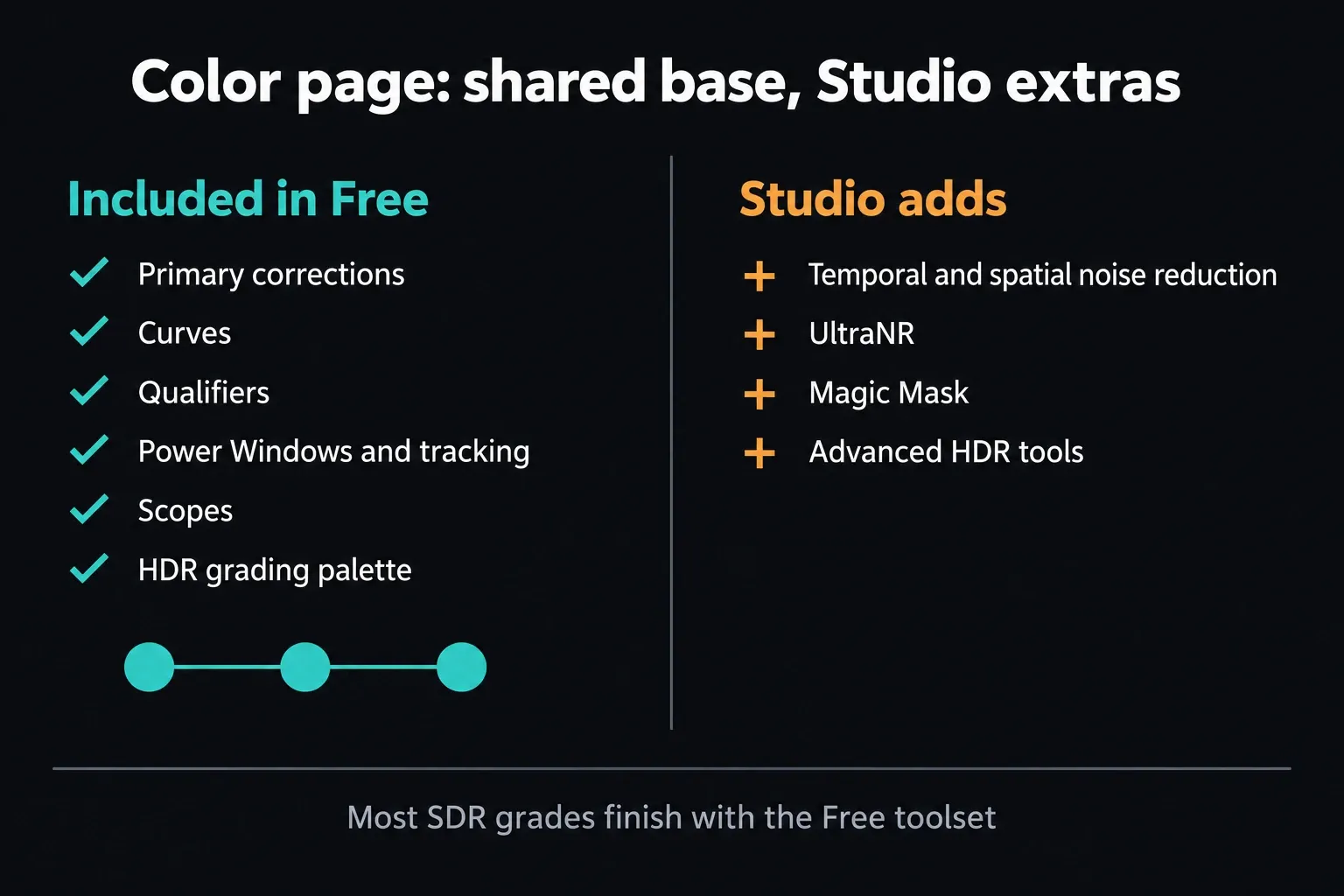
The clearest Studio boundary is video noise reduction. Blackmagic names temporal and AI spatial noise reduction, including UltraNR, among the Studio additions, with Magic Mask and advanced HDR tools as further paid capabilities. How much they help depends on the shot, so judge the corrected moving image and ignore the feature name or one good demo.
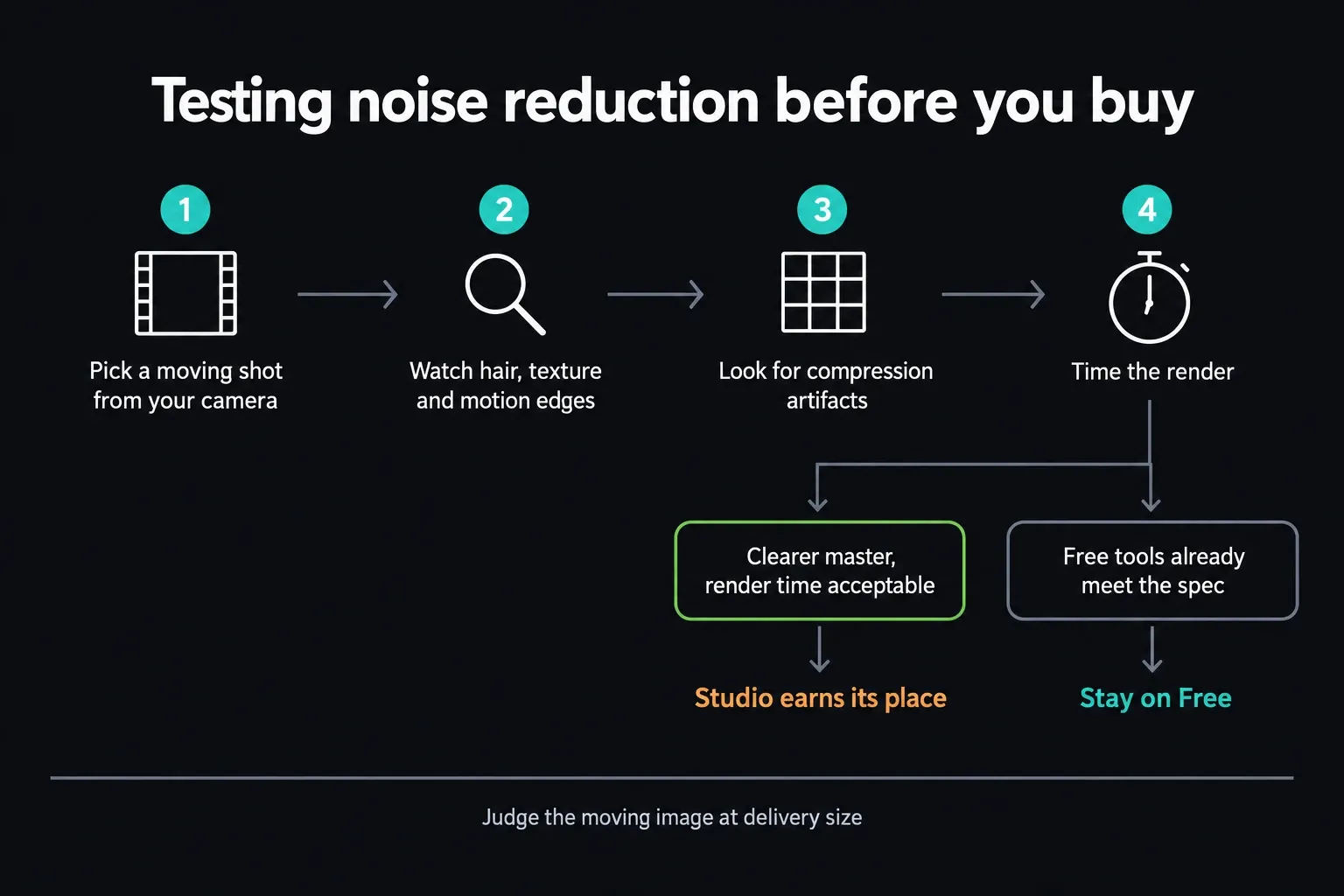
Test a representative moving shot, never a single paused frame. Watch fine texture, hair, motion edges and compression artifacts, then time the render. If careful exposure, lighting and the Free toolset already deliver the master you need, noise reduction is no reason to buy a license for that job.
Resolution, Frame Rate and Codec Support
Free can finish video at up to 60 fps and Ultra HD 3840 x 2160, the consumer format most people call 4K. DCI 4K is 4096 x 2160, which is wider than that documented limit, so check the delivery dimensions and don't trust the 4K label alone.
Studio’s published ceiling is 32K at 120 fps, with wider professional-format support. Input and output are separate limits: the Free 21.1 notes say it can handle unlimited-resolution media while limiting mastering and output to Ultra HD or below. A larger source file can therefore sit in a UHD edit, as long as its codec is supported. It still won't give you DCI 4K or 8K output in Free.
Codec support depends on the container, codec, profile, bit depth, operating system and the direction of the job, decode or encode. Blackmagic published the Resolve 21.1 supported-codec list in September 2026, and it replaces the Resolve 20 matrix older comparisons point to. Read it next to the release notes, then test one real source clip and the export you actually need.
The platform rows matter. On Windows, H.264 covers OS-supported 8-bit profiles and H.265 covers 8/10-bit profiles, with more profiles and GPU acceleration in Studio. On macOS, H.264 and H.265 decode and encode are listed as GPU accelerated with no Studio-only note. On Rocky Linux, H.264 and H.265 decoding is Studio-only and encoding needs Studio plus Nvidia graphics. None of those rows guarantees every camera profile, GPU or 21.1 configuration.
Performance: Studio Can Remove a Bottleneck, Not Every Bottleneck
Free uses GPU image processing too. Blackmagic’s 21.1 notes limit Free to one processing GPU on Windows and Linux and name no such limit for macOS, where 21.1 needs an Apple Silicon Mac and Apple supports external GPUs only on Intel-based Macs. Studio supports multiple GPUs and extra hardware-codec paths, but codec acceleration has the OS-specific exceptions above. Test the actual source, effects and export, because an upgrade can't guarantee that storage, memory or a particular stream stops being the bottleneck.
Build a short representative timeline with the hardest source, the real grade, one heavy effect and the final preset. Note playback stability and export time before and after the change you're considering. The maintained Resolve 21 system requirements help you screen the machine; the test tells you whether Studio removes this project's bottleneck.
AI, Text and Tracking Tools
Studio includes the DaVinci AI Neural Engine, text-based editing and Magic Mask. Resolve 21 added and revised more AI-assisted tools, and edition boundaries can move between releases. So don't assume every command with AI in its name carries the same license, or that an older Resolve 19 comparison still holds.
For a tool-by-tool breakdown, see the Resolve 21 AI tools guide. For this buying decision, name the task first: find clips by content, build a text-based rough cut, isolate a subject, reframe a shot, clean up dialogue or generate speech. Check that exact command on the current Blackmagic page or in the manual, then test its output and how long the corrections take.
A license gives you the tool. It doesn't promise an acceptable result or real-time playback. Masks can need edge repair, transcripts can need correcting, and generated or separated audio needs someone to listen to it. Count that review time when you decide whether the paid shortcut really saves work.
If you rely on automation, check the build before you update. The 21.1 Free release notes move Python scripting to Studio and say advanced scripting now requires Studio. Studio 21.1 also adds native MCP integration. None of this makes every Fusion macro or title template a paid feature. Confirm how your particular tool connects to Resolve and which builds its developer supports.
Fairlight and Professional Delivery
Free contains the core Fairlight editing and mixing workflow, including the track processing, routing and automation that most YouTube, podcast, documentary and client jobs need. Studio adds more Fairlight FX, the current AI-assisted audio tools and immersive-audio capability.
Upgrade when the cleanup or delivery in front of you calls for the paid tool. Voice Isolation, Music Remixer and Dialogue Separator solve narrow problems well. Dolby Vision, HDR10+ and immersive formats are delivery requirements, and an ordinary stereo web master doesn't need them. Start from the client's specification and monitoring path.
Studio doesn't include every third-party delivery license. Advanced Dolby Vision trim controls need a separate Dolby license, and encrypted DCP needs EasyDCP licensing. The codec list also says rendering Dolby Atmos formats requires a Dolby software license. Check the exact format, platform and client specification before you assume buying Studio covers every IMF or DCP operation.
Licenses, Updates and Hardware Bundles
Don't buy Studio on a promise of free upgrades forever. In an April 2021 official forum response, Blackmagic staff said the company did not formally commit to that. Buy for what the software does now, and read the release notes before you change a working installation.
The current Speed Editor technical specification lists a DaVinci Resolve Studio activation key under What’s Included. For used hardware, old stock or a reseller bundle, get written confirmation of the exact SKU and the included key before you buy.
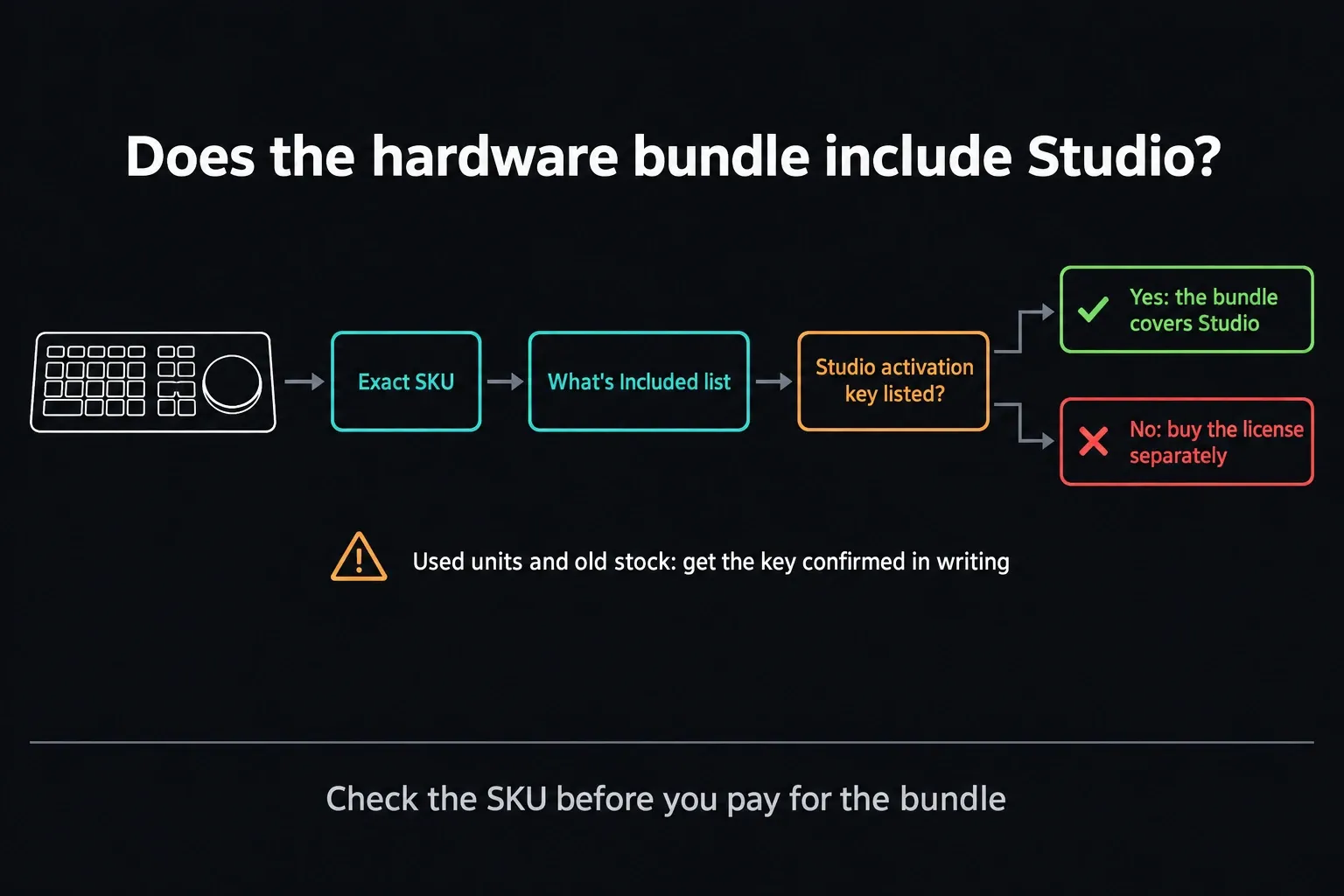
Other Blackmagic cameras, panels and bundles vary. Compare the exact SKU and its What's Included section, and don't just knock $295 off every hardware price. If you won't use the editing controls, a bundle isn't automatically better value than the software license on its own.
Who Should Buy Studio
Stay on Free when your camera originals decode correctly, the grade and audio work fit the included tools, and the final master stays within Ultra HD 60. That covers a lot of beginner, YouTube, education and paid client work. Whenever Free meets the specification, it's the right edition.
Buy Studio when a repeated, tested blocker matches a documented paid capability: video noise reduction, Magic Mask or another AI tool you need, a missing codec profile or hardware path, multiple processing GPUs, output beyond Ultra HD 60, Python scripting in 21.1 or a required advanced delivery feature. Confirm any extra license the deliverable needs as well.
Don't upgrade yet when the problem is vague. Slow playback can come from storage, cache, GPU memory or the source codec, and a failed render can trace back to one clip or effect. Find the actual failure before you blame the edition.
Still choosing an editor? The Premiere Pro comparison covers the Adobe workflow and the subscription question, and the Final Cut Pro comparison covers the Mac alternative. Make that choice separately from deciding which Resolve edition you need.
Free vs Studio FAQ
Is DaVinci Resolve Free enough for most editors?
Yes, when your source media works, the tools you need are included and the master stays within Ultra HD 3840 x 2160 at 60 fps. Start with Free and test a representative project before paying for Studio.
How much does DaVinci Resolve Studio cost?
Blackmagic lists the standard desktop Studio license at US$295, £225 in the UK, C$445 in Canada and A$469 in Australia. The UK list price excludes VAT; Australia includes GST; US and Canadian lists exclude sales tax. Use the regional price and licensing guide above to compare the purchase channels and final checkout total.
Is DaVinci Resolve Studio a one-time purchase?
The standard desktop Studio license costs $295 as a one-time purchase, with no required consumer subscription. Blackmagic Cloud rental licenses can run through a personal profile or an organization, and the separate iPad in-app purchase is another licensing path.
Which version is better for YouTube?
Free is enough for most YouTube work that fits Ultra HD 3840 x 2160 at up to 60 fps. Studio starts to pay off when the footage needs paid noise reduction, a Studio-only AI tool, a supported hardware-codec path, or output beyond that ceiling.
Can I upgrade from Free to Studio without losing projects?
Yes, the editions share the Resolve project system, but switching versions still needs care. Back up the Project Library and the individual projects first. Blackmagic warns that projects created or opened in 21.1 can't be reopened in 20.3.2, even though the library stays compatible. Test on a copy and check media, plug-ins and output before you move production work.
Does DaVinci Resolve Free include noise reduction or Magic Mask?
The current Blackmagic product comparison assigns temporal and AI spatial video noise reduction plus Magic Mask to Studio. Free still includes the core Color page, trackers, qualifiers and node workflow.
Does DaVinci Resolve Speed Editor include Studio?
Blackmagic's latest Speed Editor technical specification lists a DaVinci Resolve Studio activation key under What's Included. Confirm the exact SKU and key status for used hardware, old stock or reseller bundles.
Does DaVinci Resolve Free include collaboration?
Yes. Blackmagic explicitly lists multi-user collaboration in the Free edition. Studio may still be required for paid processing, monitoring or delivery capabilities used by the team.
Are future DaVinci Resolve Studio upgrades free?
Don't assume future major upgrades will be free. Blackmagic staff explicitly declined a formal commitment in an April 2021 forum response. Check the current terms and release notes, and buy for the features available now.