Home Tutorials
DaVinci Resolve topic library
Tutorials
Step-by-step DaVinci Resolve tutorials covering editing, color, Fusion, and audio.
What this library covers
Choose the task, then open one focused guide
Choose by the result you need, not by the name of a Resolve page or tool. Each card takes one job from the first setting to a result you can check.
Start with the resultPick the card that matches what you need to finish, fix or understand.
Use one guide at a timeEach article owns one task, so you do not have to decode a giant index.
Move to the next real stepRelated tasks stay visible without repeating every link on the page.
Choose the task
Guides in this library
One card opens one focused guide. Covers stay visible, and the same article is not repeated in a second link list.
 DaVinci Resolve Studio Download: Official Guide
Download the separate Studio installer from Blackmagic’s Support Center. Use your existing activation key, dongle or assigned Cloud rental; a Mac App Store purchase needs the Store edition.
DaVinci Resolve Studio Download: Official Guide
Download the separate Studio installer from Blackmagic’s Support Center. Use your existing activation key, dongle or assigned Cloud rental; a Mac App Store purchase needs the Store edition.
 DaVinci Resolve Old Versions: Official Downloads
Get older Resolve installers from Blackmagic’s Support Center under Latest Downloads. Match the release, Free or Studio edition and platform; keep a compatible project backup before replacing the app.
DaVinci Resolve Old Versions: Official Downloads
Get older Resolve installers from Blackmagic’s Support Center under Latest Downloads. Match the release, Free or Studio edition and platform; keep a compatible project backup before replacing the app.
 DaVinci Resolve Windows x86 vs ARM: Which Build?
For an Intel or AMD x64 PC, choose Windows x86. For a supported Windows ARM PC, choose ARM. Check System type first, then verify drivers and plugins before moving a working project.
DaVinci Resolve Windows x86 vs ARM: Which Build?
For an Intel or AMD x64 PC, choose Windows x86. For a supported Windows ARM PC, choose ARM. Check System type first, then verify drivers and plugins before moving a working project.
 DaVinci Resolve for Mac: Official Download & Install
Download from Blackmagic or the official Mac App Store. Resolve 21.1 lists Apple silicon, macOS 15+ and 8GB memory, or 16GB with Fusion. Check your Studio license channel before installing.
DaVinci Resolve for Mac: Official Download & Install
Download from Blackmagic or the official Mac App Store. Resolve 21.1 lists Apple silicon, macOS 15+ and 8GB memory, or 16GB with Fusion. Check your Studio license channel before installing.
 DaVinci Resolve for Windows: Download & Install
Download from Blackmagic. Intel and AMD PCs need 64-bit Windows and the Windows x86 package; supported Snapdragon PCs use Windows ARM. Back up before updating.
DaVinci Resolve for Windows: Download & Install
Download from Blackmagic. Intel and AMD PCs need 64-bit Windows and the Windows x86 package; supported Snapdragon PCs use Windows ARM. Back up before updating.
 Best Laptops for DaVinci Resolve in 2026
Compare M5 Pro, ProArt and Legion configurations for your footage and budget. Studio 21.1 advanced AI on Windows needs at least 16GB VRAM; background rendering and analysis on Mac need at least 32GB memory.
Best Laptops for DaVinci Resolve in 2026
Compare M5 Pro, ProArt and Legion configurations for your footage and budget. Studio 21.1 advanced AI on Windows needs at least 16GB VRAM; background rendering and analysis on Mac need at least 32GB memory.
 DaVinci Resolve vs VEGAS Pro in 2026
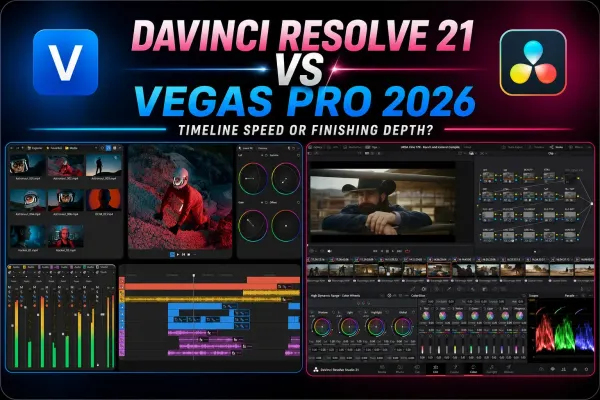
VEGAS suits event-based Windows editing; Resolve suits free exports, Mac/Linux projects and dedicated color, audio and compositing work.
DaVinci Resolve vs VEGAS Pro in 2026
VEGAS suits event-based Windows editing; Resolve suits free exports, Mac/Linux projects and dedicated color, audio and compositing work.
 DaVinci Resolve vs Filmora in 2026
Filmora suits template-led creator edits; Resolve offers normal watermark-free exports and deeper color, audio and compositing. Compare costs, limits and handoff.
DaVinci Resolve vs Filmora in 2026
Filmora suits template-led creator edits; Resolve offers normal watermark-free exports and deeper color, audio and compositing. Compare costs, limits and handoff.
 DaVinci Resolve Fusion Macros and Templates: Build, Save, Install
Build a reusable Fusion macro in Resolve 21, expose a clean Inspector, choose Macro, Group or Edit Template, then fix templates that don't appear.
DaVinci Resolve Fusion Macros and Templates: Build, Save, Install
Build a reusable Fusion macro in Resolve 21, expose a clean Inspector, choose Macro, Group or Edit Template, then fix templates that don't appear.
 DaVinci Resolve Shot Matching: Match Clips Correctly
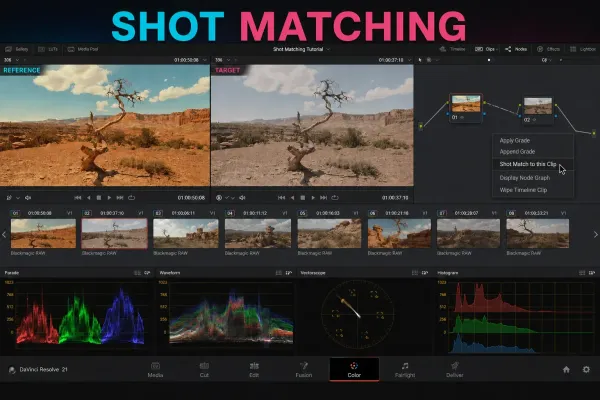
Select the targets, right-click the reference, then verify the invisible Shot Match correction with split screen and scopes before grading the scene.
DaVinci Resolve Shot Matching: Match Clips Correctly
Select the targets, right-click the reference, then verify the invisible Shot Match correction with split screen and scopes before grading the scene.
 DaVinci Resolve Smart Bins and Power Bins Guide
Use Smart Bins for automatic metadata filters and Power Bins for reusable assets across projects. Includes Resolve 21 setup, rules and fixes.
DaVinci Resolve Smart Bins and Power Bins Guide
Use Smart Bins for automatic metadata filters and Power Bins for reusable assets across projects. Includes Resolve 21 setup, rules and fixes.
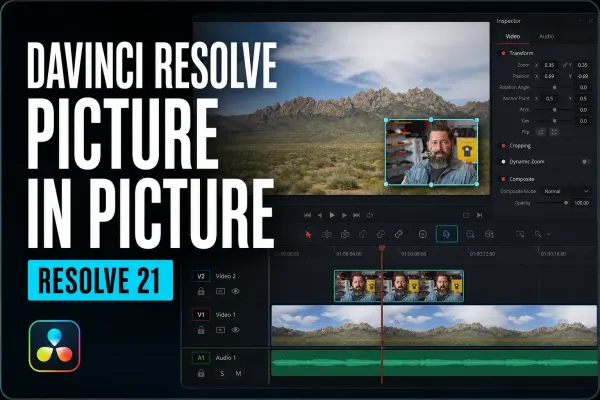 DaVinci Resolve Picture in Picture: Resolve 21 Guide
Create picture in picture in DaVinci Resolve 21 with the native Resolve FX, then control framing, position, rounded corners, border and shadow. Includes the manual method for older versions and fixes for missing or black-background results.
DaVinci Resolve Picture in Picture: Resolve 21 Guide
Create picture in picture in DaVinci Resolve 21 with the native Resolve FX, then control framing, position, rounded corners, border and shadow. Includes the manual method for older versions and fixes for missing or black-background results.