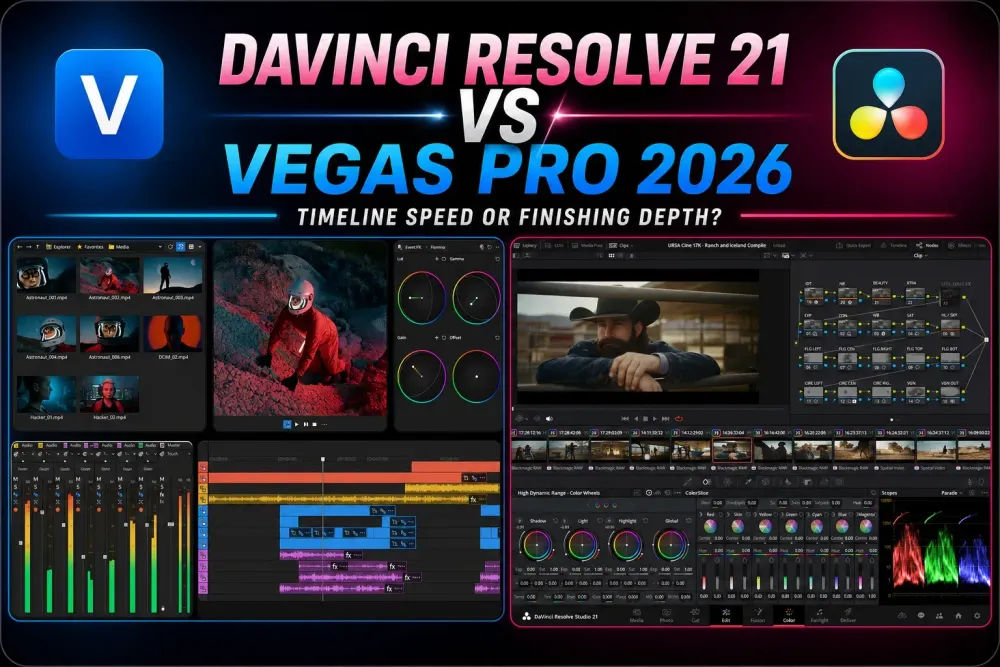
Quick answer: choose VEGAS Pro 2026 if you work on Windows 11 and like trimming, effects and audio sitting close together on one flexible timeline. Choose DaVinci Resolve 21 if you want a free editor with no trial deadline, native Mac or Linux support, or dedicated color, Fusion and Fairlight workspaces. What settles it is a representative project with one round of revisions. Feature-list length tells you very little.
If you’re comparing an old copy of Sony VEGAS with today’s Resolve, you’ll miss the biggest change: Boris FX acquired VEGAS from MAGIX in March 2026 and released VEGAS Pro 2026. The account system, the bundles and the hardware requirements are all different now. Advice written for VEGAS 22 or 23 can still help an existing owner, but it shouldn’t drive a new 2026 purchase.
This comparison follows the developers’ own documentation, pricing, requirements and release pages, and the calls below are my judgment about workflow. Before you buy, put the same footage, title, audio repair, color correction and export through both apps. The VEGAS price table uses the launch list prices, so check the store’s current offer before you pay.
DaVinci Resolve vs VEGAS Pro at a glance
| Decision | Practical difference |
|---|---|
| Best first fit | VEGAS Pro 2026: solo Windows editing with event-level control. Resolve 21: end-to-end post-production that can grow into a team workflow. |
| Free option | VEGAS: full-featured 15-day trial, not a free edition without a trial deadline. Resolve: capable Free edition with no normal export watermark within its limits. |
| Paid model | VEGAS: monthly, annual and selected perpetual tiers. Resolve: Studio is a one-time purchase. |
| Operating systems | VEGAS: current official requirement is Windows 11. Resolve: Windows, macOS and Linux. |
| Editing model | VEGAS: most work stays close to one customizable timeline. Resolve: Cut/Edit, Fusion, Color, Fairlight and Deliver have distinct jobs. |
| Color, VFX and audio | VEGAS: useful timeline-integrated tools and OFX expansion. Resolve: deeper dedicated finishing environments. |
| Existing project move | VEGAS: export documented Resolve XML and archive the media. Resolve: conform the XML, rebuild unsupported work and compare a reference export. |
Don’t read this as beginner versus professional. VEGAS has multicam editing, planar tracking, compositing, color controls, audio buses and third-party OFX support. Resolve has a conventional Edit page too, and you can make a first cut there without learning every workspace. The comparison that helps is how each app organizes your own work.
Still deciding which editors belong on your shortlist? The DaVinci Resolve comparisons hub covers Premiere Pro, Final Cut Pro, CapCut and other alternatives, alongside the separate Free-versus-Studio decision.
What changed from Sony VEGAS to VEGAS Pro 2026?
The old name sticks around in searches because Sony sold the software years ago and plenty of editors learned on those versions. The recent ownership change matters more: the Boris FX acquisition announcement is dated March 30, 2026 and covers VEGAS Pro, Sound Forge and Acid Pro. VEGAS Pro 23 and earlier remain legacy MAGIX products, and VEGAS Pro 2026 is the first Boris FX release.
That split matters whenever you compare interface images, license advice or troubleshooting threads. An old activation-key guide, a MAGIX Hub tutorial or a VEGAS 22 price says nothing about the current Boris FX account flow or the 2026 editions. Put the exact version in your search before you apply a fix.
Price: Resolve starts free; VEGAS now has three tiers
Blackmagic’s Resolve product page offers a Free edition for Windows, macOS and Linux. Normal exports carry no built-in watermark, though Studio-only effects and unsupported formats can still interrupt a free workflow. Free output tops out at Ultra HD 3840 × 2160 at up to 60 fps. The Resolve cost guide explains when paying for Studio makes sense.
The US Resolve Studio page lists $295. You pay once for desktop software; there’s no monthly editor subscription. Studio adds tools such as advanced noise reduction, Magic Mask and extra Resolve FX. Blackmagic Cloud hosting or storage can cost extra, so buying the editor doesn’t make every connected service free.
VEGAS sells three editions. The current plan comparison shows what each one includes, and Boris FX’s March 30 launch announcement gives the US list prices below. These are historical launch prices, not a verified September checkout quote. Check the edition, billing period, renewal total, tax and upgrade eligibility before you pay.
| Plan | US launch list — March 30, 2026 |
|---|---|
| VEGAS Pro | $99.95/year or $219.95 for a perpetual license. |
| VEGAS Pro Plus | $149.95/year or $299.95 for a perpetual license. |
| VEGAS Pro Ultimate | $199.95/year; no perpetual option in the launch table. |
| VEGAS trial | Current trial: 15 days of Ultimate on Windows; no credit card required. |
The tier differences matter more than any introductory discount. The current feature table puts Mocha VEGAS, Particle Illusion, Sound Forge and the CrumplePop VST tools in Plus. Ultimate adds Mocha Pro, Optics and Continuum VFX for VEGAS, among other tools. In the launch licensing table, Pro and Plus come as perpetual licenses while Ultimate is a subscription. Confirm those terms in the offer in front of you, and don’t assume a VEGAS plug-in bundle licenses every other host as well.
If all you need is an editor, Resolve Free costs less to start. Paying for VEGAS can still make sense when its controls suit the way you already work or its bundle replaces tools you’d buy anyway. The 15-day Ultimate trial lets you test that fit without a credit card. Just remember that a feature you used in the Ultimate trial may be missing if you then buy Pro.
Editing workflow: timeline events versus dedicated pages
VEGAS feels hands-on. You drop media on the timeline, trim an event, overlap two events for a crossfade, apply an effect at event or track level, adjust the audio and keep going. The windows are customizable, and nothing pushes the edit through a fixed sequence of pages.
The VEGAS feature guide documents event editing, track compositing, OFX keyframes, 3D plane positioning, planar tracking, multicam editing and input buses. If you already handle its fades, envelopes and shortcuts without thinking, that familiarity is a good reason to test carefully before switching. It doesn’t prove that another editor is inherently slower.
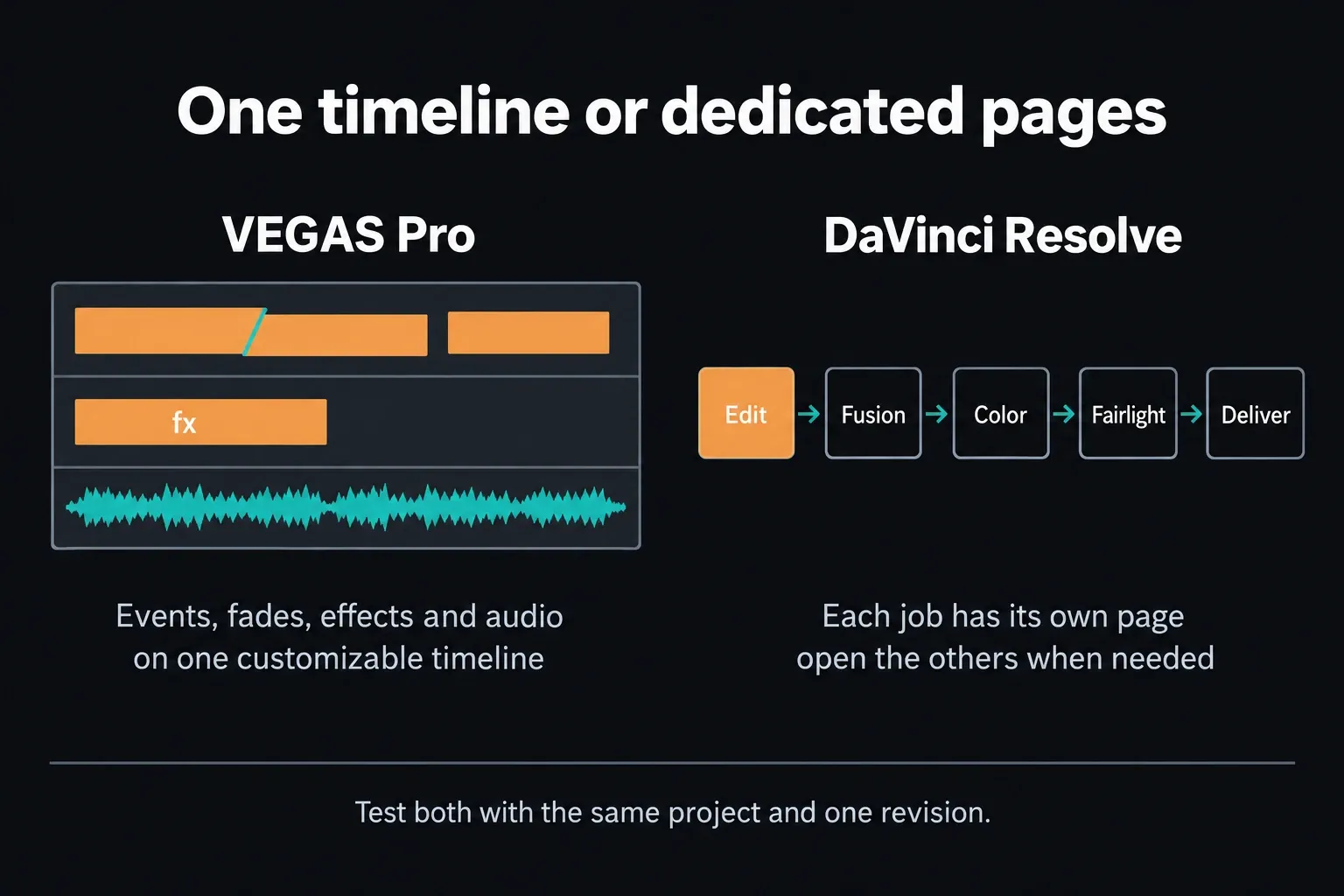
Resolve gives each job its own workspace: Cut and Edit for editing, Fusion for node-based compositing, Color for grading, Fairlight for audio and Deliver for output. You can start on Edit and open the specialist pages when you need them. A simple video doesn’t have to pass through all of them.
Neither layout wins on its own. During your trial, revise a title, replace a shot, change the mix and adjust a grade after the first export. Which changes go smoothly, and which ones send you hunting for a control? That answer is worth more than assuming VEGAS is always easier or Resolve always takes longer to learn.
If Resolve feels slow only because the keys are unfamiliar, start with the Resolve keyboard shortcuts guide. Rebuild the five VEGAS commands you use most before judging the whole interface.
Color, effects and audio: convenience versus finishing depth
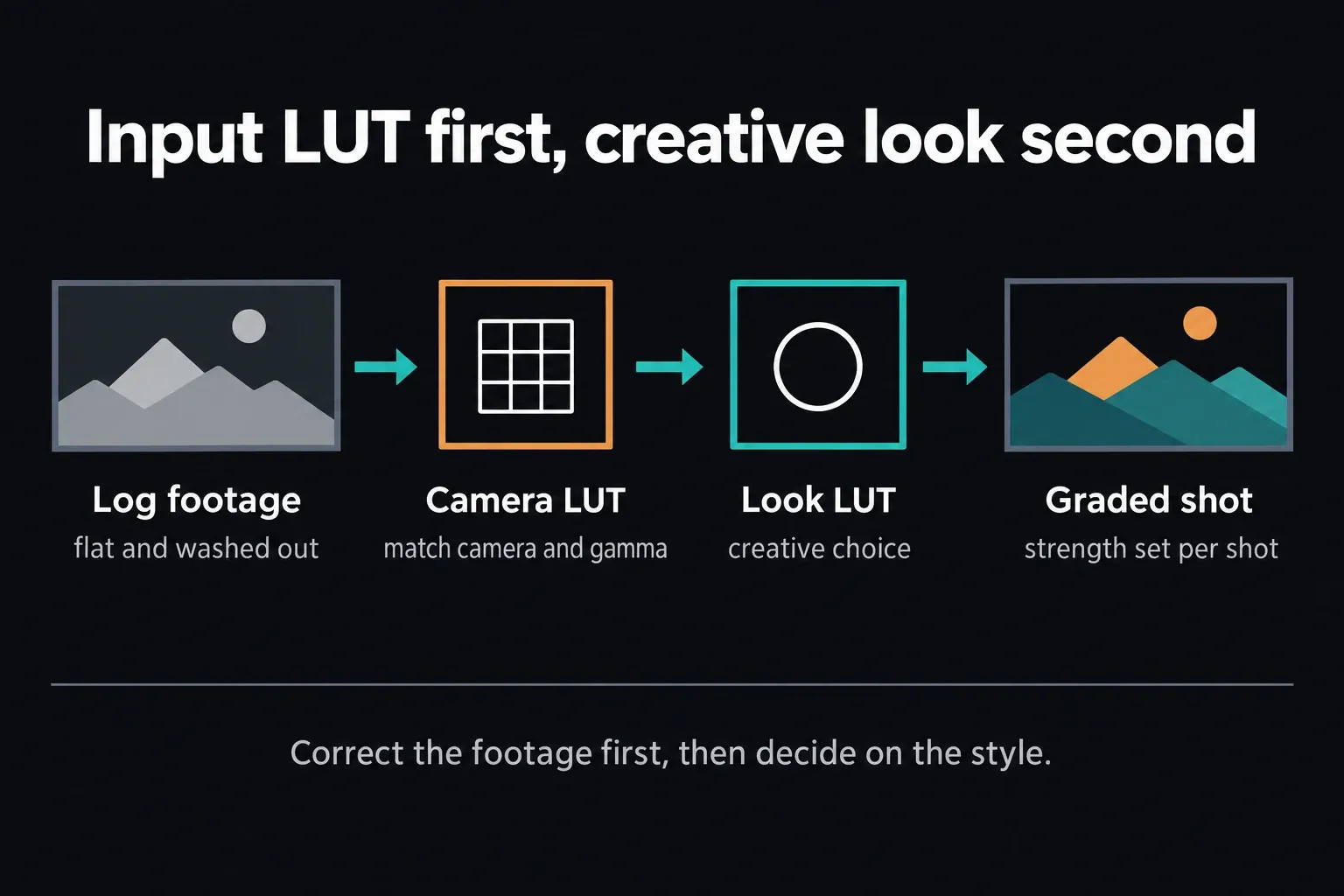
VEGAS can grade inside the editing environment with curves, wheels, LUTs and scopes. Its Camera LUT and Look LUT sections keep the input transform apart from the creative look. Match the camera transform to the footage you shot, and set each strength by eye for that shot; the values in any example are just one shot’s settings. VEGAS also supports OFX animation, planar tracking, track compositing and audio mixing with buses.
Resolve doesn’t hand you an automatic “better image” button. Its Color page gives you node-based corrections, tracked Power Windows and color-management tools, and Fusion is a dedicated node compositor. Fairlight gives audio its own workspace for detailed editing and mixing. Those separate environments pay off when a grade, composite or mix needs more organization than your first rough cut.
A careful VEGAS grade can look better than a careless Resolve grade. Pick the controls that let you diagnose a problem and repeat a result across shots. If VEGAS already gives you those, switching needs a practical benefit beyond the reputation of Resolve’s Color page.
AI and bundles: check which features require a subscription
The VEGAS Pro 2026 release page lists the Continuum Title Pack, improved AI Z-Depth and NVIDIA Blackwell acceleration for AVC and HEVC 4:2:2 media. That acceleration depends on compatible hardware and footage, so don’t expect every render to speed up. Boris FX also confirms ProRes RAW support in its 2026 launch announcement.
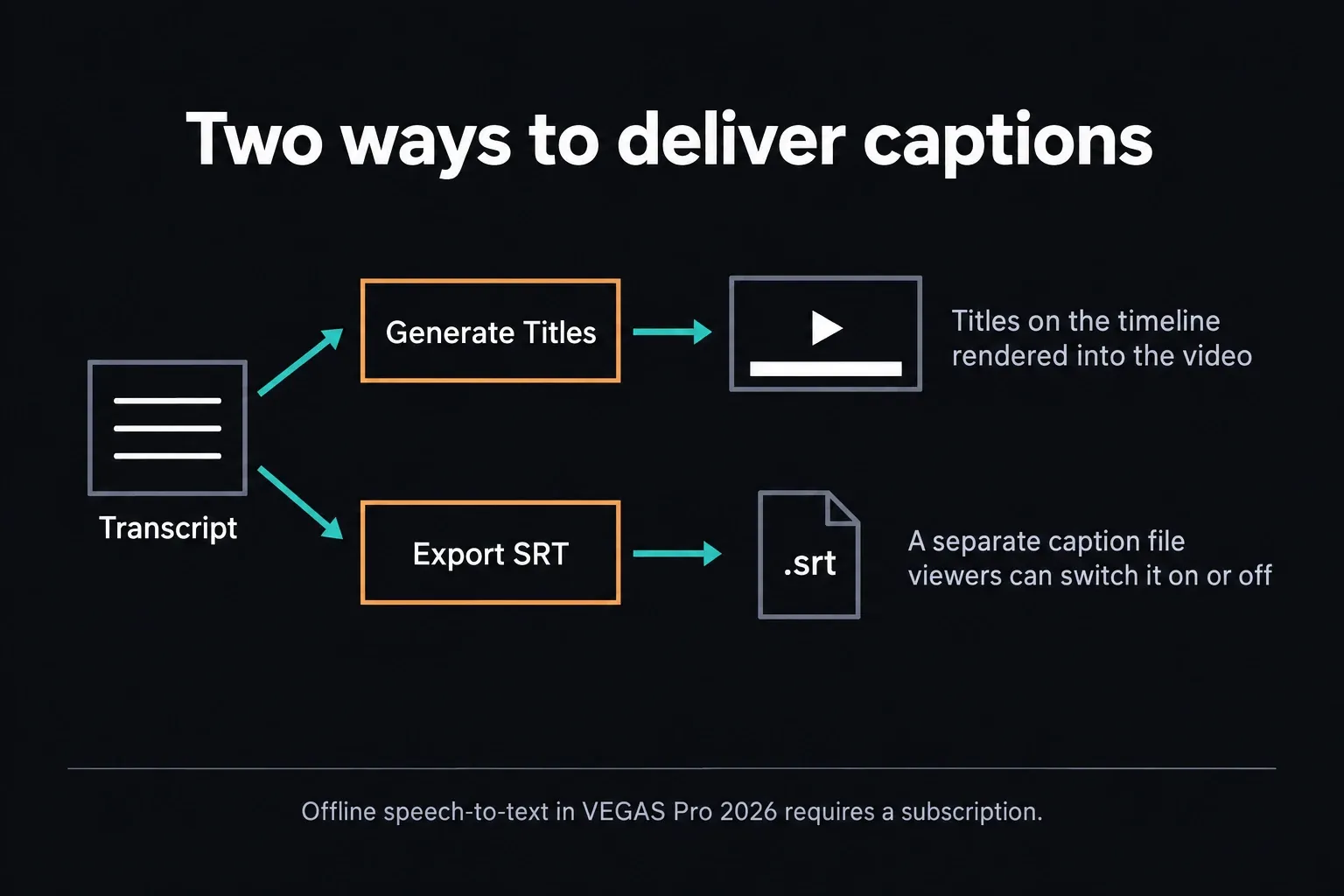
Fully offline speech-to-text and text-to-speech are subscription-only in VEGAS Pro 2026, and Storyblocks access needs a subscription too. The release page describes both offline speech functions as unlimited and processed locally, with no cloud credits involved. That promise covers those two functions only, and a perpetual editor license doesn’t include the subscription services. For captions, VEGAS can generate titles on the timeline or export a separate SRT file, so pick the delivery format your platform or client needs.
Resolve 21 also uses AI across editing, transcription, masking, audio and analysis, and several important tools are reserved for Studio. Counting AI labels won’t tell you much; compare the operations you repeat. Write down the three actions you perform every month, then check the edition, local or cloud processing and renewal cost for each one.
Hardware: current VEGAS is Windows 11 only
The current VEGAS requirements table lists Windows 11, 16 GB RAM and 8 GB VRAM in its minimum column. Its 4K column recommends 32 GB RAM and 8 GB VRAM, and its AI column recommends 32 GB RAM and 16 GB VRAM. These are the published requirements. A GPU with that much memory still isn’t guaranteed to run smoothly. They also undercut the idea that current VEGAS is a lightweight answer for any old PC.
Resolve runs on Windows, macOS and Linux, but its behavior also depends on edition, codec, GPU, VRAM, effects and operating system. The Resolve 21 system requirements guide explains those interactions. A Mac or Linux requirement decides this comparison immediately; on Windows, the footage must decide.
Test real editing performance before paying or switching
- Use a real camera or screen-recording file with the codec and frame rate you deliver every week.
- Build the same 60-second timeline, title, transition, speed change, color correction and dialogue cleanup.
- Scrub, trim and revise for ten minutes before creating proxies.
- Add one effect or title from the package you expect to use. Synthetic benchmarks won’t tell you much here.
- Export the same delivery codec and record dropped frames, render time, errors and visible differences.
Record the software build, GPU driver, source codec, proxy and cache settings and export settings next to the result, so the comparison means something later. A render time from someone else’s footage, GPU or effect stack won’t reliably predict how your project behaves.
Which editor should you choose?
Choose VEGAS Pro when the Windows timeline is the advantage
VEGAS is worth a look if you prefer event-level editing on Windows and want video, fades, effects and audio close together. That can suit YouTube, event videos, music videos, courses and corporate work. What you’re buying is a layout and toolset that match your habits. Nobody can promise those genres always finish faster in VEGAS.
The Boris FX ownership also makes Plus and Ultimate more interesting for editors who need Mocha, Continuum, Optics, Particle Illusion, CrumplePop or Sound Forge. Price the actual bundle against the actual tools. Don't buy an edition because the word “Ultimate” sounds safer.
Choose Resolve when the project must cross departments or platforms
I’d lean toward Resolve when dedicated color work, Fusion compositing, audio post or cross-platform collaboration sits at the center of the job. Free already includes multi-user collaboration, so a second editor joining doesn’t by itself mean you need Studio. Check any hosted-project or storage charges separately. Both the free entry point and the one-time Studio purchase help when you’re budgeting, but neither removes hardware, training or service costs.
If your decision is really about a professional NLE ecosystem, compare Resolve vs Premiere Pro. If the machine is a Mac and you prefer a one-time editor, use Resolve vs Final Cut Pro. VEGAS is a Windows-only branch.
Finish a revision before committing
Install Resolve Free and the 15-day VEGAS Ultimate trial. Finish the same small project, then make a client-style revision: swap a shot, retime a clip, change a title, repair a noisy line, match a new camera angle and export again. The second pass exposes friction that a first-impression review misses.
If Resolve wins the test but feels foreign, the Resolve beginner tutorial walks you through a complete first project. Familiarity is a real production advantage, but it shouldn't be confused with a permanent product limit.
Move a VEGAS project to DaVinci Resolve without pretending it is native
A .veg file doesn’t open in Resolve. The documented starting point for interchange is Final Cut Pro 7/DaVinci Resolve XML, which the current VEGAS supported-formats table lists for export. That beats flattening the whole job, but you’re still doing a conform. You won’t get a native project conversion.
- Duplicate the VEGAS project and use the documented Vegas Project Archive with the required media. Include nested projects, proxies or BRAW companion files when the job depends on them.
- Export a high-quality reference movie with matching resolution, frame rate and visible timecode if practical.
- Export Final Cut Pro 7/DaVinci Resolve XML from VEGAS.
- Create the Resolve project at the correct frame rate, import the XML and relink original media.
- Compare every cut, dissolve, speed change, crop and audio event against the reference.
- Rebuild VEGAS generators, OFX, track compositing, envelopes, titles and audio routing unless a test proves they transferred correctly.
Don’t expect the VEGAS text EDL to work as a full-fidelity shortcut. The current VEGAS EDL documentation says its EDL isn’t meant for project interchange, can put converted events on a single track and swaps transitions for crossfades. Use it only when that simplification is fine for the job.
Hang on to VEGAS, the archive and the reference export until the Resolve master passes a shot-by-shot and audio comparison. Delete the source environment before the conform is approved and a manageable migration turns into archaeology.
DaVinci Resolve vs VEGAS Pro FAQ
Is DaVinci Resolve better than VEGAS Pro?
Resolve is the stronger fit if you need a free edition without a trial deadline, native Mac or Linux support, or dedicated color, Fusion and Fairlight workspaces. VEGAS may fit a Windows editor who prefers event-level controls and its Boris FX bundles. Finish a representative project and a revision before choosing; neither wins every task.
Is VEGAS Pro still Sony VEGAS?
No. The historical name remains common in searches, but Boris FX acquired VEGAS Pro from MAGIX on March 30, 2026. VEGAS Pro 23 and earlier remain legacy MAGIX products; VEGAS Pro 2026 is the current Boris FX release.
Is VEGAS Pro free like DaVinci Resolve?
No. VEGAS offers a full-featured 15-day Ultimate trial, and there’s no ongoing free edition. Resolve Free can finish projects without a normal export watermark when its format and feature limits fit the job. Free output goes up to Ultra HD 3840 × 2160 at 60 fps, and Studio-only effects can still push you toward an upgrade.
Does VEGAS Pro work on Mac or Linux?
The current VEGAS Pro 2026 system page lists Windows 11. It does not list macOS or Linux. DaVinci Resolve supports Windows, macOS and Linux, so a current Mac/Linux requirement ends this comparison in Resolve's favor.
Which is easier for beginners, VEGAS Pro or DaVinci Resolve?
VEGAS may feel more familiar if you want event-level controls on one Windows timeline. Resolve has more specialist workspaces, but a beginner can start on Edit and pick up the others later. Neither layout guarantees a quicker first edit. Run the same project and a revision through both.
Can a VEGAS project open in DaVinci Resolve?
A native .veg file doesn't open in Resolve. VEGAS Pro 2026 documents Final Cut Pro 7/DaVinci Resolve XML export. Archive the project and media, export a reference, import the XML into Resolve and rebuild anything that doesn't survive the conform.
Is VEGAS Pro 2026 a one-time purchase?
Boris FX's launch table offers perpetual licenses for VEGAS Pro and Pro Plus, alongside subscriptions; Ultimate is subscription-only in that table. Current licensing support confirms subscription and perpetual options remain available, but verify the selected tier and offer before purchase. Offline speech-to-text, text-to-speech and Storyblocks are subscription-only features.
For me it would come down to the next project. VEGAS, if its Windows event controls and bundled tools already match the work. Resolve, if the free edition, cross-platform projects or specialist finishing workspaces solve a concrete need. Keep your current editor and project archive until the replacement has passed a full picture-and-audio check.
