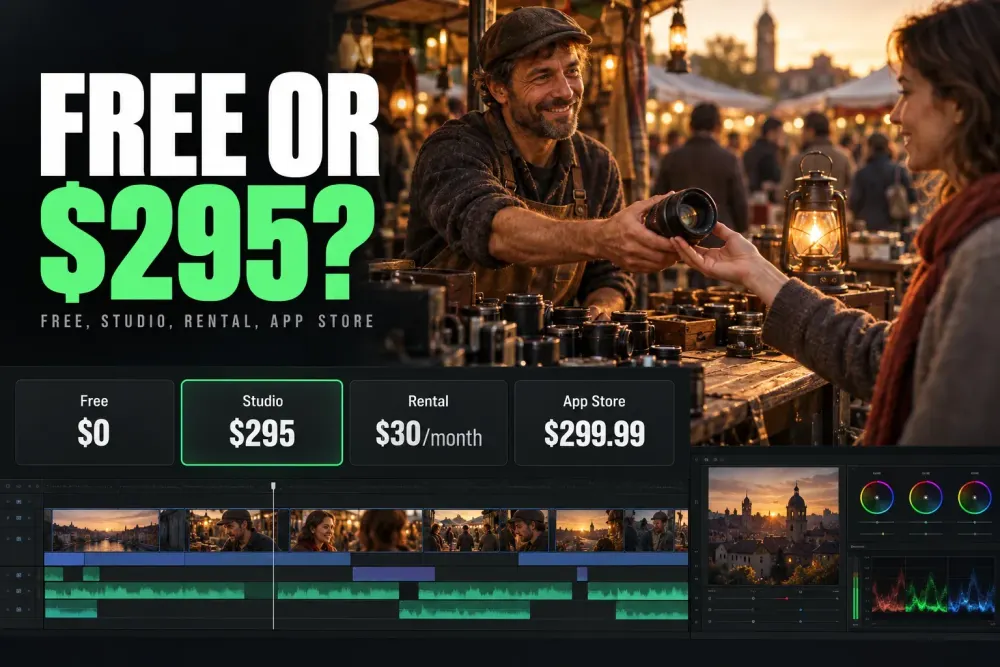
DaVinci Resolve is free. The standard Studio desktop license costs $295 US as a one-time purchase. Blackmagic Cloud documents a separate $30/month rental in its US example. Apple normally sells the Mac App Store edition for $299.99, and iPad Studio is its own $94.99 in-app purchase. Check the platform before you pay, because one of these licenses can't stand in for another.
Blackmagic's 20% Studio sale runs until Friday, November 20, 2026 and cuts the US desktop price to $236. The US Mac App Store listing shows the same 20% cut, at $239.99. My reference points are the Blackmagic Studio product page, the Cloud rental guide and the Apple listings linked below. Regional tax, currency and reseller totals can differ.
Buy for the features you can use today. Blackmagic sells Studio 21 for $295 and offers its Studio installers with no separately listed upgrade charge. That continues a long run of no-fee upgrades, but nobody has promised that every future major release will be free.
DaVinci Resolve Pricing: Free vs Studio at a Glance
Free already covers the core Edit, Color, Fusion and Fairlight workflows, and Studio adds paid processing and delivery capabilities on top. The Resolve Free feature guide maps the full no-cost boundary, and the Free versus Studio comparison goes feature by feature for buying decisions. Whether you call yourself a beginner or a professional doesn't matter here. The source, the tool and the output you need decide it.
On a narrow screen, swipe a table sideways to see all columns. With a keyboard, focus the table and use the arrow keys.
| Item | Free | Studio |
|---|---|---|
| US desktop list price | $0 | $295 one-time |
| Desktop output ceiling | Ultra HD 3840 × 2160 at 60 fps | Up to 32K at 120 fps |
| Core Edit, Color, Fusion, Fairlight | Included | Included |
| Multi-user collaboration | Included | Included |
| Temporal and AI spatial video noise reduction | No | Yes |
| Text-based editing and Magic Mask | No | Yes |
| Multiple processing GPUs | No on Windows/Linux | Yes on supported systems |
| Dolby Vision and HDR10+ grading/rendering | No | Yes |
| Python and advanced scripting | No; moved to Studio in 21.1 | Yes |
| Cloud rental | Not applicable | $30/month per license in the current US example; separate from purchase |
Studio also brings more than 45 extra Resolve FX, immersive-audio features, professional HDR scopes and supported H.264/H.265 hardware decode and encode paths. Exact format support varies by operating system, container, codec, profile and bit depth.
Studio Price in the US, UK, Canada and Australia
The $295 headline is the US price, not a currency conversion for every market. Blackmagic lists the following standard desktop Studio prices on its regional product pages.
| Market | Studio desktop list price | Tax treatment on the official listing |
|---|---|---|
| United States | US$295 | Includes duties; excludes sales tax and shipping |
| United Kingdom | £225 | Excludes VAT and local shipping |
| Canada | C$445 | Excludes sales taxes/duties and shipping |
| Australia | A$469 | Includes GST; excludes shipping |
For the same license, £225 excluding VAT and A$469 including GST are different kinds of starting totals. Open the product page for your country and compare the final checkout or reseller quote, including any tax and delivery charge. A reseller promotion can differ from the manufacturer's list price. Before you pay a reseller, check that it's on Blackmagic's reseller list and ask whether you'll get a key card or only an emailed code. A seller may keep the card and refuse refunds on a delivered key, so read its return policy too.
These figures cover the standard desktop Studio purchase. They don't price a Blackmagic Cloud rental, the Mac App Store edition or the iPad in-app purchase. I would choose the installation and license channel first, then compare local sellers for that same product; a cheaper Apple listing won't activate Blackmagic's desktop installer.
Before You Pay: A Five-Step Check
The first two checks decide whether you need Studio at all. The last three decide how to pay for it.
- Match the license to the device. The $295 key or dongle unlocks Blackmagic's own installer on macOS, Windows and Linux. The Mac App Store edition and iPad Studio unlock only their own apps.
- Run a real job in Free. Open your own camera files, finish the grade and audio, and render the format you actually deliver. Buy when one of the Studio reasons below blocks that job, not before.
- Check the computer before the tools. Studio 21.1.1's advanced AI tools and background rendering have their own memory and VRAM floors. Put your specs through the Resolve PC checker before paying for tools your machine can't run.
- Decide on a panel now. If you want a Speed Editor, Editor Keyboard, Micro Panel or Mini Panel anyway, its current package includes a Studio key, so don't buy the license twice. The Replay Editor and Micro Color Panel don't include one; the hardware section has the list.
- Rent only for short jobs. At $30 a month, the tenth rental month takes you past the $295 purchase price before tax. Renting suits a short project or seats you reassign.
Free Version: What You Actually Get
Free includes Cut and Edit, node-based Color tools, Power Windows, curves, qualifiers, scopes, Fusion compositing and Fairlight audio. It's a full edition with no time limit, not a trial. Ordinary Free workflows export without a Blackmagic watermark, but Studio-only effects in Free can add one. Before you deliver that shot, remove the paid effect or render it from a properly licensed Studio installation.
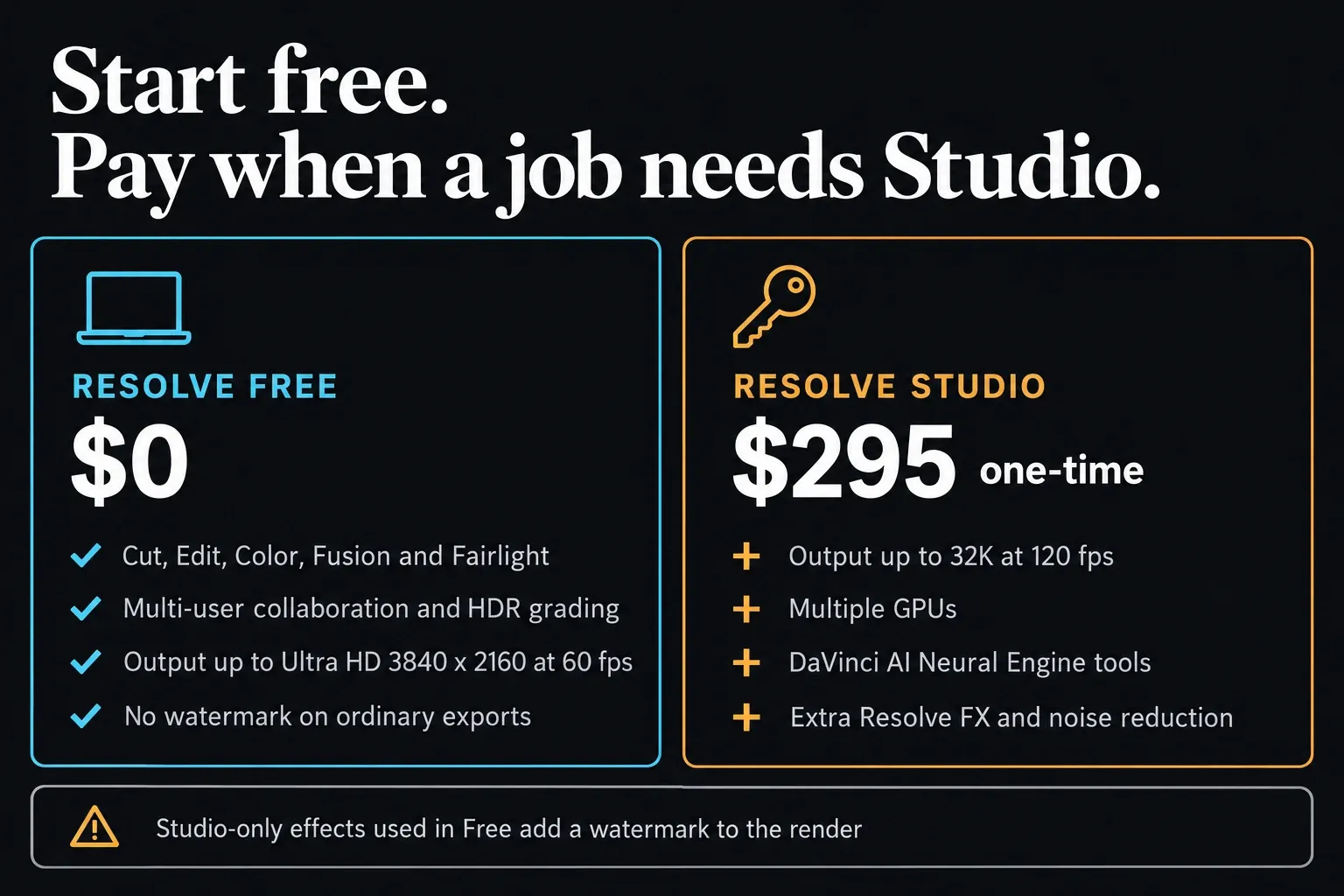
The published desktop output ceiling is Ultra HD 3840 x 2160 at 60 fps. Source decoding and output resolution are separate limits, so footage above 4K doesn't automatically push you into Studio. Test your actual camera file. Check the current Resolve system requirements too: Studio 21.1.1 sets extra memory requirements for advanced AI and background tasks, and paying for the license won't make an under-equipped computer meet them.
Studio Cost: Is the $295 Worth It?
Pay for Studio when a specific capability saves enough work, or solves a delivery requirement, to justify $295. A tutorial calling Free limited isn't a reason to buy, and neither is a camera that records above 4K on its own. These are the reasons I'd actually weigh:
- You repeatedly need Studio video noise reduction or a named paid AI tool
- A client requires output above Ultra HD 60 or a Studio-only HDR/package format
- Your exact codec and supported hardware benefit from Studio acceleration
- A Windows or Linux workstation can use multiple processing GPUs for the real workload
- Your workflow depends on Python or other advanced scripting, which the Resolve 21.1 release notes move to Studio; check this before you update a working free install
Stay on Free when your source files open correctly, the grade and audio don't need paid tools, and the final master fits Ultra HD 60. Collaboration and standard HDR grading are already in Free, so neither one justifies an upgrade by itself.
A few specialist deliverables carry another license cost. Blackmagic lists Dolby Vision support in Studio, but advanced Dolby Vision trim controls need a separate Dolby license, and encrypted DCP creation needs a separate EasyDCP license. Confirm those costs only if your client asks for that exact deliverable. Ordinary editing needs neither add-on.
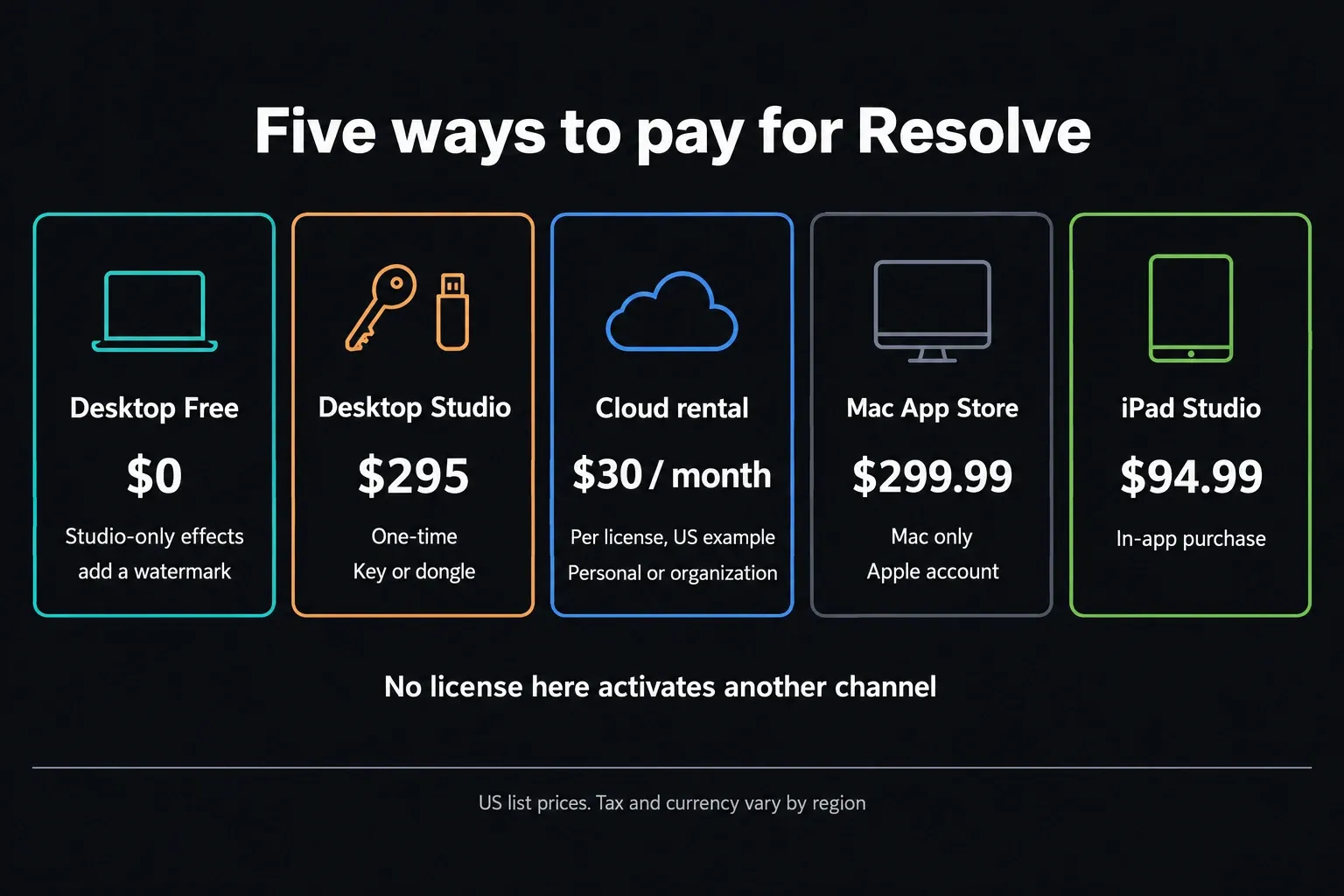
As the Free card above notes, ordinary Free tools export clean, but a Studio-only effect still adds a watermark. The Mac App Store and iPad purchases each work only inside their own app, and I cover both below.
Studio Rental Licenses
Blackmagic's License Manager guide lets you rent Studio from a personal or organization profile. Its official example shows five licenses totaling $150 per month, which works out to $30 per license per month. That's the documented US example, so confirm the live total in the profile that will own the rental.
At $30 per month, ten billed months come to $300, slightly more than the $295 standard desktop list price. The licenses behave differently too: a personal activation key covers two devices used by one person, while each rental activates one computer. Rent when short-term access or team assignment suits the job better than owning a key.
A rental licenses Studio running on your own computer. Resolve doesn't become a browser editor, and the rental doesn't include every Cloud service. Before renting, check the owner profile, seat count, renewal date and cancellation terms; personal profiles can rent licenses as well. Cloud project libraries and storage are separate services, so budget for them only if your workflow uses them.
Hardware Bundles That Include Studio
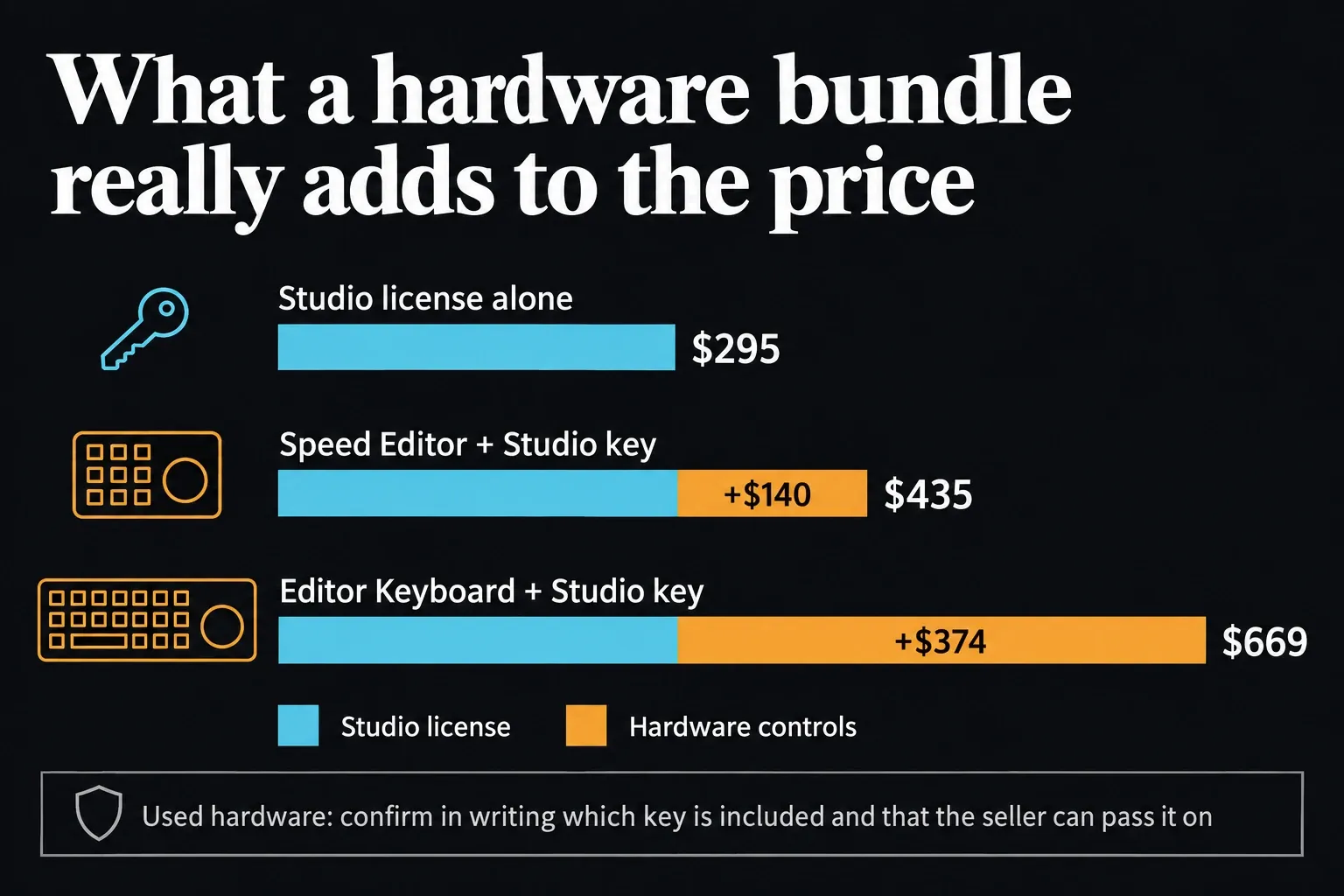
The current Speed Editor technical specification lists the hardware at $435 in the United States and puts a DaVinci Resolve Studio activation key in the box. The same Blackmagic specifications list a Studio key for the Editor Keyboard, Micro Panel, Mini Panel and Advanced Panel. The Replay Editor and Micro Color Panel don't get one; they ship with a welcome wallet and a QR code for the software download. Cameras, reseller bundles, used hardware and regional inventory still need an exact-SKU check.
| Purchase | Current public price | License rule |
|---|---|---|
| DaVinci Resolve Studio 21 desktop | $295 US list price | One-time purchase; cloud rental is separate |
| DaVinci Resolve Speed Editor | $435 US list price | Current official specification includes a Studio activation key |
| DaVinci Resolve Editor Keyboard | $669 US list price | Current official specification includes a Studio activation key |
| DaVinci Resolve Micro Panel | $949 US list price | Current official specification includes a Studio activation key |
| DaVinci Resolve Mini Panel | $2,319 US list price | Current official specification includes a Studio activation key |
| DaVinci Resolve Replay Editor or Micro Color Panel | $559 US list price each | No Studio key listed; the package has a welcome wallet with a download QR code |
| Blackmagic camera or other hardware | Varies | Check the exact product's What's Included section |
| Used hardware or reseller bundle | Varies | Require written confirmation of the included license and transfer rights |
At those list prices, the Speed Editor costs $140 more than Studio alone and the Editor Keyboard $374 more. Either gap only makes sense if you actually want the controls. For a new bundle, verify the exact SKU and the included activation key before checkout.
With used hardware, get written confirmation of exactly which license is included and that the seller has the right to pass it on. A key that worked once proves nothing about whether the seller stopped using it or kept a copy. If the listing is vague, price the hardware as hardware only, and don't count on a missing or shared key being replaced for free.
Mac App Store Studio: A Separate $299.99 Purchase
The US Mac App Store listing normally sells Studio for $299.99, or $239.99 during Blackmagic's 20% sale. That's the Mac-only App Store edition, tied to your Apple account, and it's a different product from the $295 activation key for Blackmagic's own installer.
The App Store purchase can't activate the standard Blackmagic download, and a standard key, dongle or Cloud rental can't activate the App Store edition. Blackmagic's listing also warns that some external panels and third-party OpenFX or VST plugins are unsupported or may be incompatible. If you rely on those tools, look at the standard desktop version before buying. The two channels can also ship updates on different dates.
Resolve for iPad: Cost and App Store Purchases
DaVinci Resolve for iPad is free to download. The US App Store listing shows the Studio in-app purchase at $94.99. That purchase sits apart from the standard desktop activation key, the dongle and the Mac App Store license, and regional App Store prices can differ.
Read the current App Store description against your iPad model for the features you need, then confirm the in-app price on that device. A tool that exists on desktop won't necessarily work the same way on your iPad.
Budget for desktop and iPad separately. Blackmagic's explanation of the three installation and purchase channels splits standard desktop licensing, Mac App Store purchases and iPad in-app purchases, and one payment won't cover all three.
Resolve vs Premiere Pro: What You Pay Over Time
Adobe's US Premiere plan page lists the individual app from $22.99 per month on an annual plan billed monthly. Thirteen payments at that rate total $298.87 before tax, close to the Studio price. That's my arithmetic, though, and Adobe sells no 13-month cancel-anytime plan. Check whether $22.99 is a starting or first-year rate, what renewal costs and how the annual commitment handles cancellation. The Resolve versus Premiere comparison covers the editing and handoff differences.
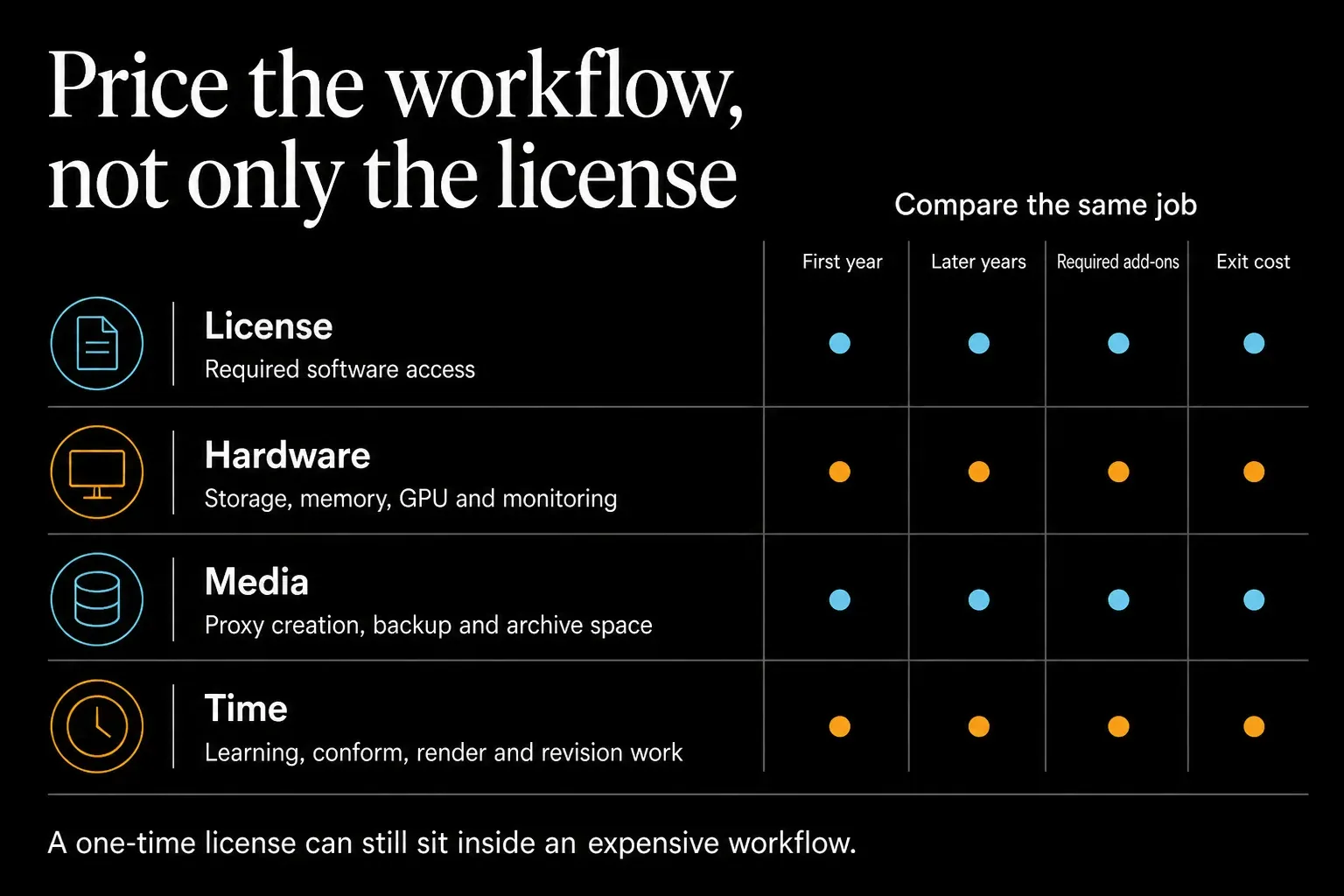
The arithmetic is only part of the cost comparison. Premiere also includes services such as Frame.io and Adobe Express, and you may already need Creative Cloud Pro for After Effects, Photoshop or other applications. Resolve can cut recurring software spend, but hardware, storage, plugins, training and handoffs still belong in the budget.
Compare the same region, commitment, seats and included services over the period you expect to use the software. Then add storage, hardware, plugins and the time it takes to move projects. A cheaper license is a false saving if every delivery gets slower after the switch.
Resolve vs Final Cut Pro: One-Time Purchase or Creator Studio
Apple offers a $299.99 one-time Final Cut Pro purchase and Apple Creator Studio at $12.99 per month or $129 per year in the US. The current Final Cut Pro pricing FAQ keeps both options on sale. The subscription adds other creative apps and some premium content. Resolve's standard $295 desktop license runs on macOS, Windows and Linux; the Mac App Store purchase covers only the Mac.
Don't set $12.99 against $295 as if the products and access periods matched. Compare the apps included, the platform, the ownership period and the workflow your team will actually run. The one-time Final Cut and Resolve prices sit only $4.99 apart before tax.
A price table can't choose between the two editors for you. Run one representative job through each application you're considering, with graphics, color, audio, one revision and export QC.
Resolve 21: What's New and Still $295
Resolve 21 is still the $295 Studio offering on Blackmagic's US product page. The Studio 21.1.1 readme covers the current Studio update and doesn't add a subscription requirement. Keep your activation key or dongle safe, and don't read the upgrade history as a contractual promise about future releases.
Resolve 21 adds the Photo page, IntelliSearch, CineFocus, AI Speech Generator and other tools documented in the current Resolve 21 release guide. Many of the headline AI tools require Studio. Buy for a task you repeat. A long launch list on its own is a weak reason to pay.
If you're still choosing an editor, and the license question comes later, the comparisons and buying guides will help you narrow that decision. Then verify the exact purchase channel and local total before checkout.
Frequently Asked Questions About Resolve Cost
Is DaVinci Resolve really free?
Yes. Blackmagic offers Resolve 21 Free at $0. It includes the core Edit, Color, Fusion and Fairlight workflow, multi-user collaboration and output up to Ultra HD 3840 x 2160 at 60 fps within the documented format limits.
How much is DaVinci Resolve Studio?
Blackmagic lists the standard desktop license at US$295, £225 in the UK, C$445 in Canada and A$469 in Australia. The UK figure excludes VAT; Australia includes GST; the US and Canada exclude sales tax. The separate US Mac App Store edition is normally $299.99, and iPad Studio is a $94.99 in-app purchase. Until Friday, November 20, 2026, Blackmagic's 20% sale cuts the US desktop price to $236 and the Mac App Store price to $239.99. Reseller and checkout totals can differ.
Is DaVinci Resolve Studio a one-time purchase?
Yes. The standard desktop path is a one-time $295 purchase and doesn't require a Cloud rental. Blackmagic also offers a separate rental whose documented US example is $30 per month per license. Mac App Store and iPad purchases are separate channels.
Are future DaVinci Resolve Studio upgrades free?
Blackmagic provides Studio 21 updates without a separately listed upgrade charge, which continues its no-fee-upgrade history. Don't read that as a published guarantee that every future major version will be free.
Is the Studio upgrade worth $295?
It's worth paying when a Studio-only tool, codec path or delivery format removes a blocker you keep hitting. Stay on Free when your tested media, processing and final master fit inside its limits.
Is there a student discount for DaVinci Resolve Studio?
Blackmagic doesn't list a universal public student price for the individual desktop Studio license. Institutions and regional promotions may differ, so verify any education offer directly.
Does the Speed Editor include DaVinci Resolve Studio?
The current US Speed Editor technical specification lists a DaVinci Resolve Studio activation key under What's Included. Verify the exact SKU and the written reseller listing, because used hardware, regional inventory and older stock can differ.
How much is DaVinci Resolve Studio for iPad?
The US App Store lists the iPad Studio in-app purchase at $94.99. It's a separate purchase from the standard desktop activation key or dongle, and regional App Store pricing can differ.
Can I use DaVinci Resolve Studio on multiple computers?
Blackmagic Design staff explain that a personal activation key is meant for two devices used by the same person, and two different users would need two keys. A dongle works on the computer it's plugged into. A Cloud rental activates one computer and can be reassigned through License Manager. Mac App Store purchases follow their own Apple-account licensing path.