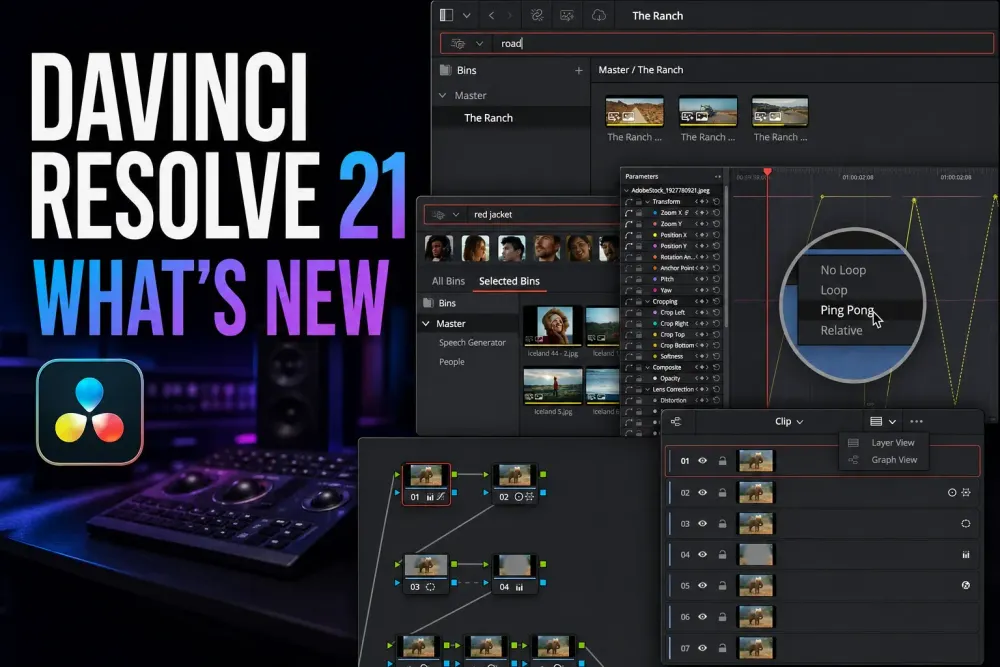
DaVinci Resolve 21 is the current major release. When I checked Blackmagic's download catalog on October 5, 2026, the newest desktop build was 21.1.1 build 10, posted October 2 for macOS, Windows, Windows ARM and Linux. It's a maintenance update on top of 21.1 from September 8. Version 21 itself brought the Photo page, a set of Studio AI tools, deeper keyframe controls, a layer-list view for Color nodes, Krokodove graphics and Fairlight folders. The 21.1 update adds Inspector presets, more multicam controls and Studio automation, and it also changes who gets Python scripting access.
Quick answer: upgrade when a new feature or a documented fix solves a problem you actually have, not because the version number went up. Back up the Project Library and export critical projects before 21.1 opens them; a compatible library doesn't make an upgraded project backward-compatible. If you rely on Python scripts, check their 21.1 and Studio requirements before you update.
DaVinci Resolve 21 Release Status and Latest Version
DaVinci Resolve 21 was released on June 3, 2026, when Blackmagic posted the final build and the Resolve 21 release notes to its download catalog. Blackmagic had announced it at NAB in Las Vegas on April 13, 2026, with a free public beta out the same day. DaVinci Resolve 21.1 came out on September 8, 2026, the day Blackmagic's IBC press release announced it as a free download. Some sites give April 14 for the beta. That's the date in the web address of Blackmagic's NAB announcement, which is datelined Monday, April 13.
I'd take the current installer and release notes from the live Blackmagic support feed, and the feature overview from the official Resolve 21 What’s New page. Search snippets and third-party download pages often lag a maintenance release by days or weeks. The newest one, 21.1.1, improves the trim editor for audio clips and multiple edit points, adds USAC support on Windows 11 computers, gives better control over clips that carry several Fusion effects and steadies connections in multi-user projects.
DaVinci Resolve 21 Release Dates
Blackmagic shipped version 21 in stages: a public beta in April, the final release in June and a maintenance update every few weeks since. Each version below links to Blackmagic's own notes for that build, and the dates come from its download catalog.
| Date | Release | What changed |
|---|---|---|
| April 13, 2026 | Public beta | Announced with the Photo page and the AI tools; the beta was a free download |
| June 3, 2026 | Resolve 21 | Final release: Photo page, Fairlight folders, keyframing improvements, MultiMaster trim passes and layer list node graphs |
| June 24, 2026 | 21.0.1 | Better DNG and Apple ProRAW decoding, Fusion dual screen layouts, H.265 HDR metadata, Sony α7R VI ARW stills |
| July 2, 2026 | 21.0.2 | Faster image bypass switching and clearer text in the Inspector |
| July 22, 2026 | 21.0.3 | Ease modes for retime speed and frame curves, better handling of interlaced media, keyframe editing, multicam audio and PSD imports |
| August 5, 2026 | 21.0.4 | Proxy relinking across formats, more X-OCN formats, API scripting for clips on the timeline, smoother playback with a large cache |
| September 8, 2026 | 21.1 | More stills support on the Photo page, multicam controls, an updated trim editor, over 25 Krokodove shape and 3D tools, Fusion macro controls, archive and media management options |
| October 2, 2026 | 21.1.1 (build 10) | Trim editor support for audio clips and multiple edit points, USAC on Windows 11, control over clips with several Fusion effects, multi-user stability |
What Is New in Resolve 21.1?
- Editing: save Inspector presets instead of rebuilding clip settings every time, switch or cut up to 25 multicam angles from shortcuts, and use the revised trim editor and timeline comparison controls.
- Photo: more Fujifilm, Leica and Sony cameras get live preview, camera control and capture in Studio. The update also improves RAW-image controls and reworks the Photo sidebar.
- Color: you can now relink missing LUTs and DCTLs. In Studio, MultiMaster adds individual Dolby Vision, HDR10+ and HDR Vivid trim passes, each with its own output sizing and cache handling.
- Fusion: new Krokodove shape and 3D tools, OpenPBR material shaders and a revised Macro Editor widen the graphics workflow.
- Automation: Studio gets a native MCP server for AI assistants and built-in Python console support. Blackmagic says Python scripting has moved to Studio, and Python 2 support is gone. Don't assume an existing script or integration will come through the update unchanged.
Blackmagic keeps the Free 21.1 release notes and Studio 21.1 release notes separate, so read the one for your edition. If you depend on a subtitle script, an integration or an automation bridge, check that exact tool with its maintainer and try it on a copied project. The Python change doesn't mean every plug-in is broken, or that every kind of script hits the same restriction.
Before 21.1 came 21.0.4 on August 5, 2026: a maintenance release with proxy relinking across different formats, Sony FX-5 X-OCN support, scripting APIs for timeline selection and render settings, and fixes for real-time playback on large cached timelines. Those were targeted fixes, and they left the major Resolve 21 feature set as it was. Blackmagic lists every fix and the platform requirements in the official 21.0.4 release notes.
A point release still needs testing. A plug-in, a script, a codec, a GPU driver or one particular project can expose a problem that never shows up in a clean installation.
Photo Page: the Largest Workflow Change
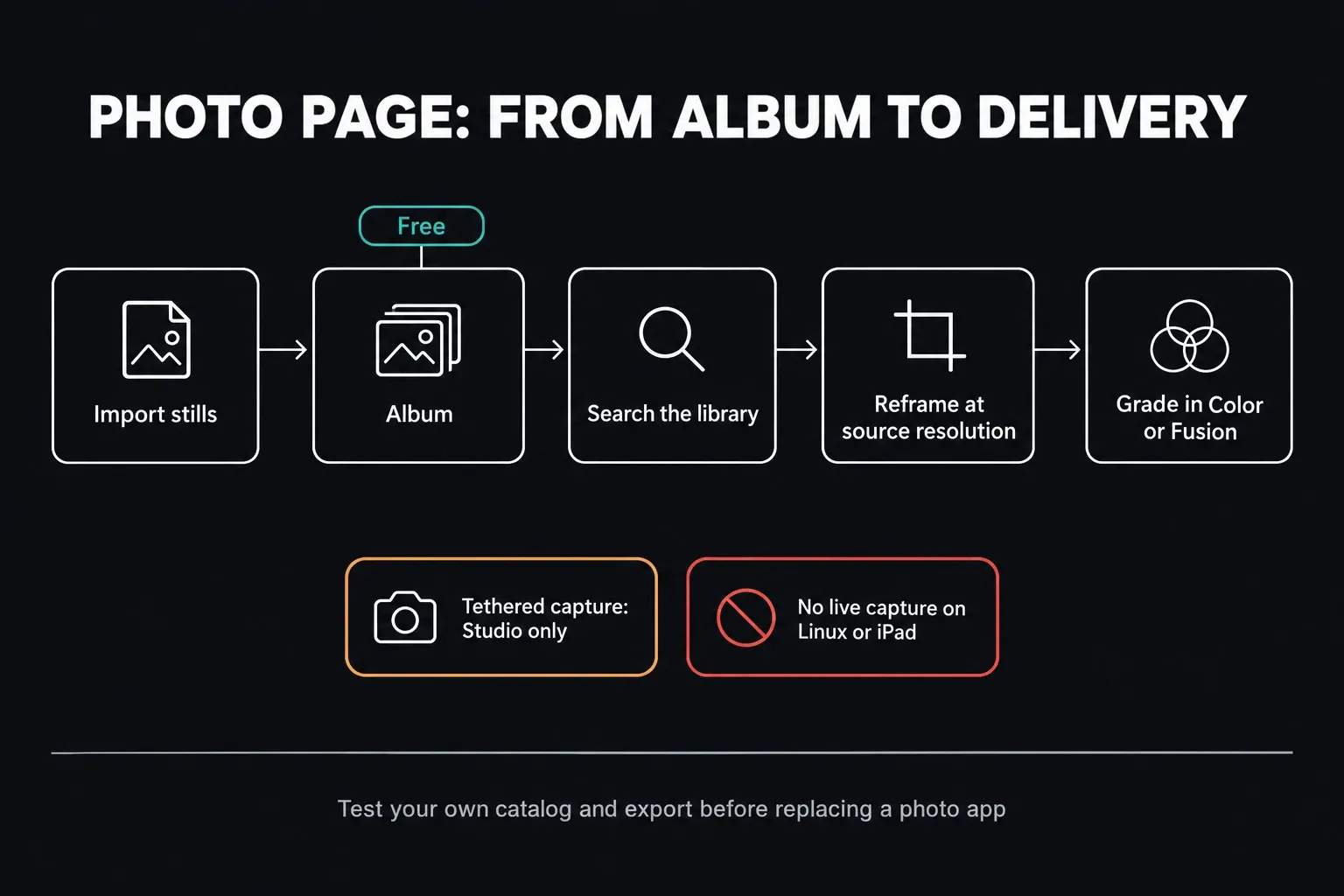
The new Photo page imports stills, organizes them in albums, searches the library, reframes at source resolution and passes images into Resolve's Color and Fusion workflows. Where it earns its place is the hybrid job that already needs the same grades, effects, collaboration and delivery setup for stills and video.
The core Photo page is in Free. Capture is marked Studio Version Only in the current Resolve 21.1 Reference Manual, and Studio-only AI tools or Resolve FX stay behind that license boundary on stills too. Tethering also depends on the camera model and platform: the manual leaves Linux and iPad out of live capture. Check the supported-camera list and your own camera setup before you promise anyone a tethered session.
I wouldn't call Photo a Lightroom replacement until it gets through your own catalog, metadata, filename, batch-export and handoff tests. The dedicated Resolve 21 Photo page guide covers the page layout, albums, Capture and the export workflow.
Resolve 21 AI Tools: What They Actually Do
The headline Resolve 21 AI additions are Studio features. The Reference Manual marks IntelliSearch, CineFocus, Speech Generator, Slate Finder and Slate ID, Motion DeBlur, UltraSharpen, Face Age Transformer, Face Reshaper and Blemish Removal as Studio Version Only. That tells you about the license, not about quality, so only adopt a tool once its output gets through your own review.
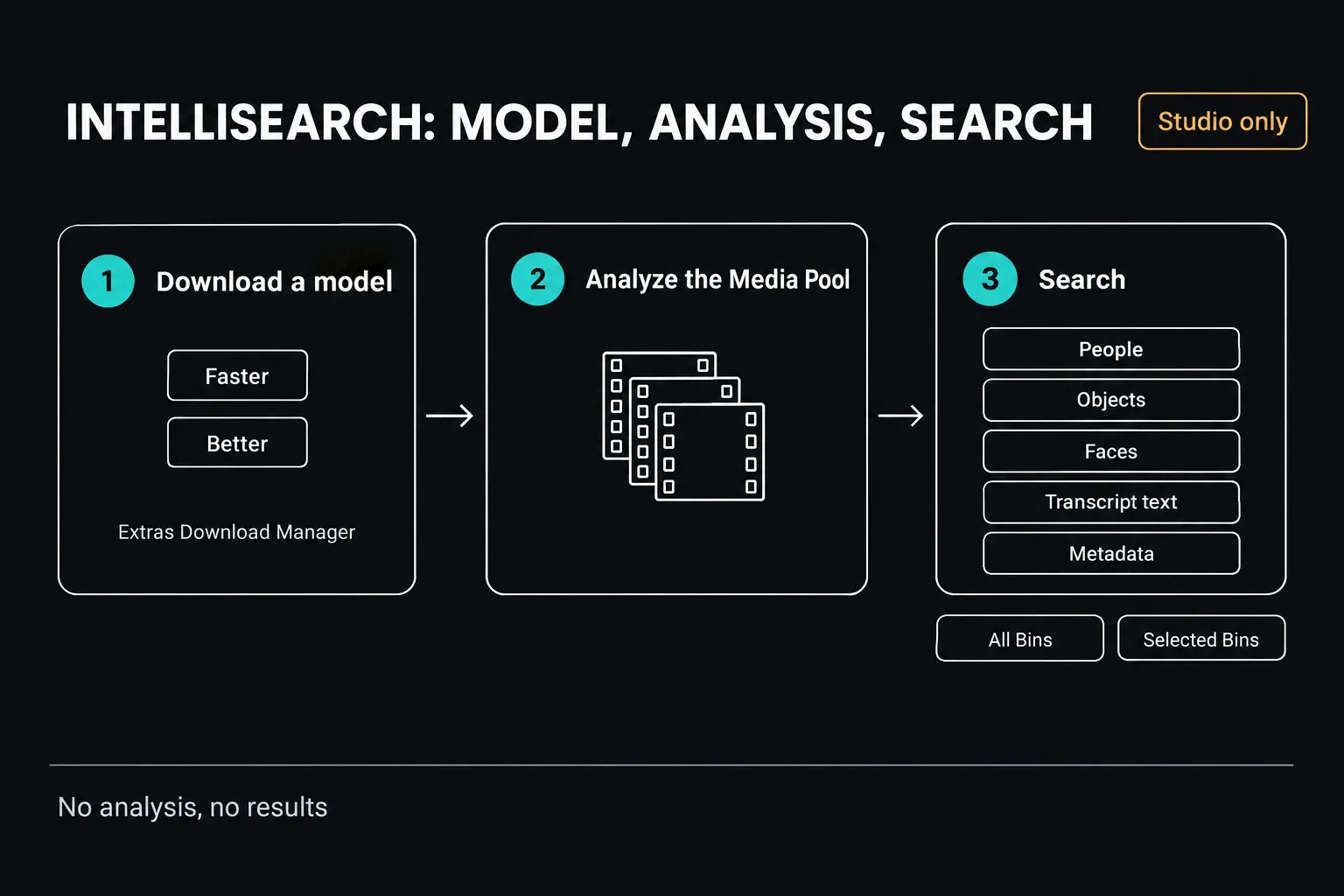
- IntelliSearch: analyzes Media Pool clips, then lets you search people, objects, faces, transcript text and metadata. The Faster and Better model packages are separate downloads.
- CineFocus: adds a virtual depth and bokeh treatment and can keyframe a rack-focus effect. It can't bring back optical detail the camera never captured.
- Speech Generator: turns typed text into narration with supplied or custom voice models. Using a custom voice needs permission from the voice owner.
- Face tools: age or reshape a tracked face, or smooth out superficial blemishes. Check frame-to-frame continuity, consent and technical quality; these effects don't all share the same controls.
- Motion Deblur and UltraSharpen: go after blur or softness with different processes. Try them on the actual problem shot and inspect artifacts at delivery resolution.
- Slate ID: detects a clapperboard and pulls slate metadata once the matching model is installed.
The current manual gives IntelliSearch no Free exception. Its Faster and Better model packages come through Extras Download Manager before analysis can run. The dedicated Resolve 21 AI tools guide covers setup and failure cases; the DaVinci Resolve Free vs. Studio comparison covers the wider license boundary and the current $295 US desktop price.
Which Resolve 21 Changes Matter to Your Work
- Long-form and documentary editors: once its models are installed and the Media Pool is analyzed, IntelliSearch can cut down manual logging.
- Photographers and hybrid crews: Photo albums, shared grades and tethered Studio capture keep stills right next to the video project.
- Motion designers: Lottie, OGraf, Krokodove, the Macro Editor changes and audio-driven Fusion animation mean fewer handoffs for repeatable graphics.
- Colorists delivering variants: Studio MultiMaster trims, group versions and the layer-list node view keep HDR and SDR outputs better organized.
- Dialogue and mix editors: Fairlight track folders, six-band clip EQ, EQ and level matching, and Chain FX cut down on navigation and setup work.
Start from the job, not the feature list: find one shot in 800 clips, generate a temporary voice, reshape bokeh, rescue a blurred take or group 60 audio tracks. Note how long that takes today or where it breaks, run the Resolve 21 tool on representative media, then compare accuracy, correction time and the final render. If a feature creates more cleanup than it saves, it isn't an upgrade for that job.
Cut, Edit and Graphics Changes
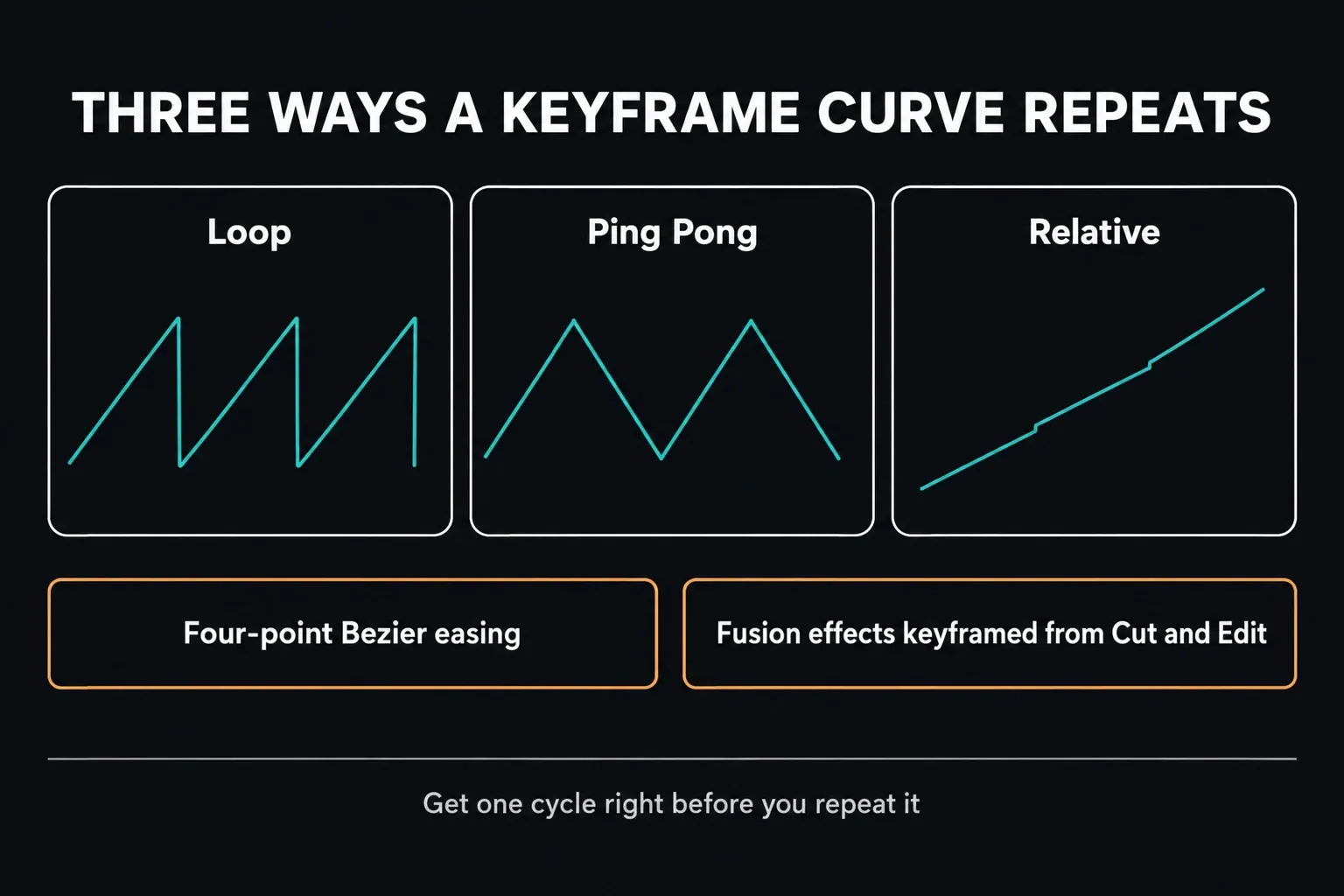
Cut and Edit get stronger keyframe and curve controls: Loop, Ping Pong and Relative modes, multi-clip adjustment and four-point Bezier easing. You can also adjust Fusion effects from the Cut and Edit keyframe editors, which saves a lot of page switching on routine animation work.
Resolve 21 also takes supported OGraf HTML and Lottie graphics into the Media Pool with alpha. Text+ and MultiText add font previews, multilingual spell checking, emoji and character-level styling, and Smart Bin views now show up in the Cut page.
Color, Fusion and Fairlight Changes
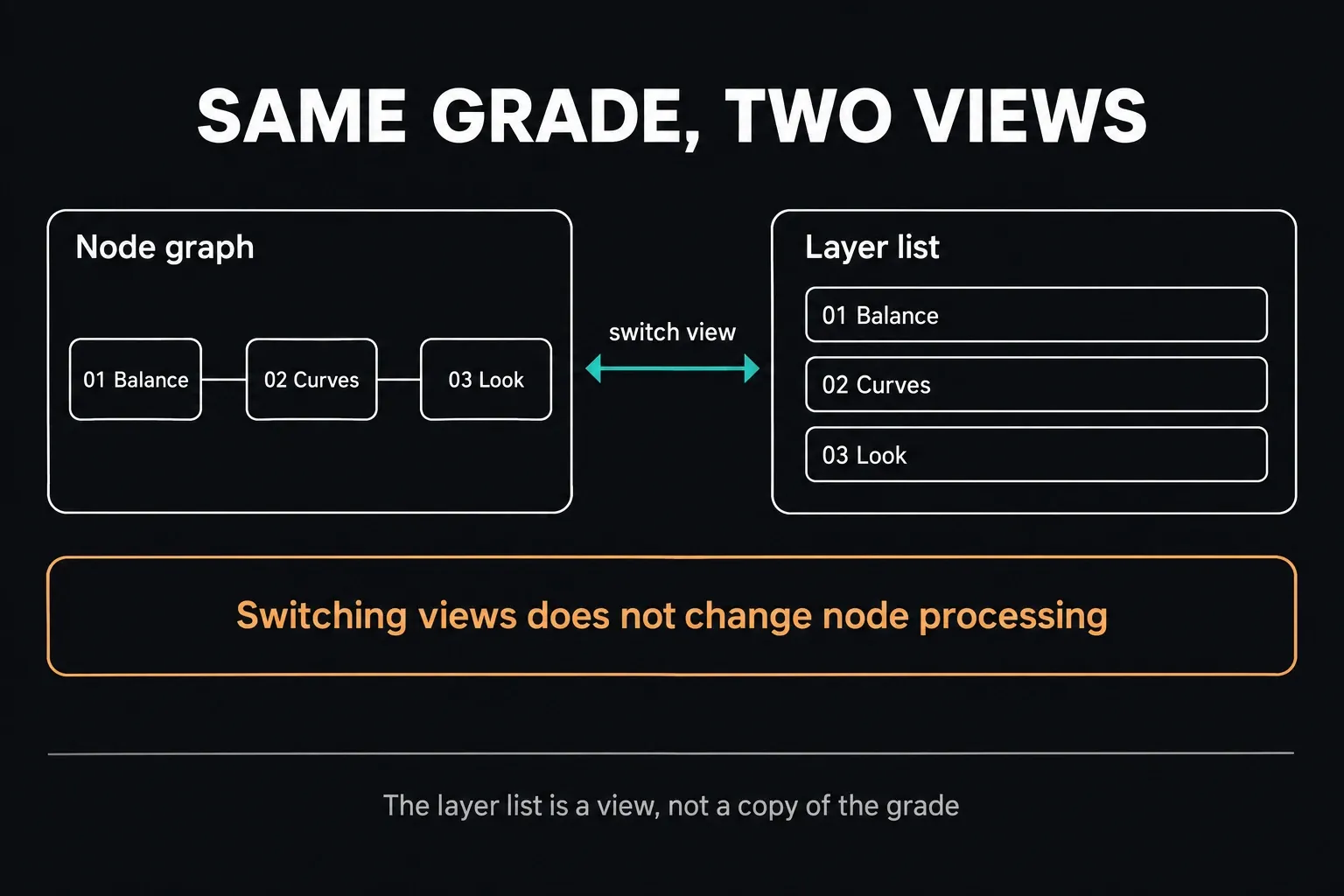
Color adds Studio-only MultiMaster trim management for linked HDR and SDR trims, a layer-list view of the node graph and group grade versions. The layer list is just another way of looking at the same grade, not a second copy of it. On a long correction chain it's easier to scan, and node processing stays exactly the same.
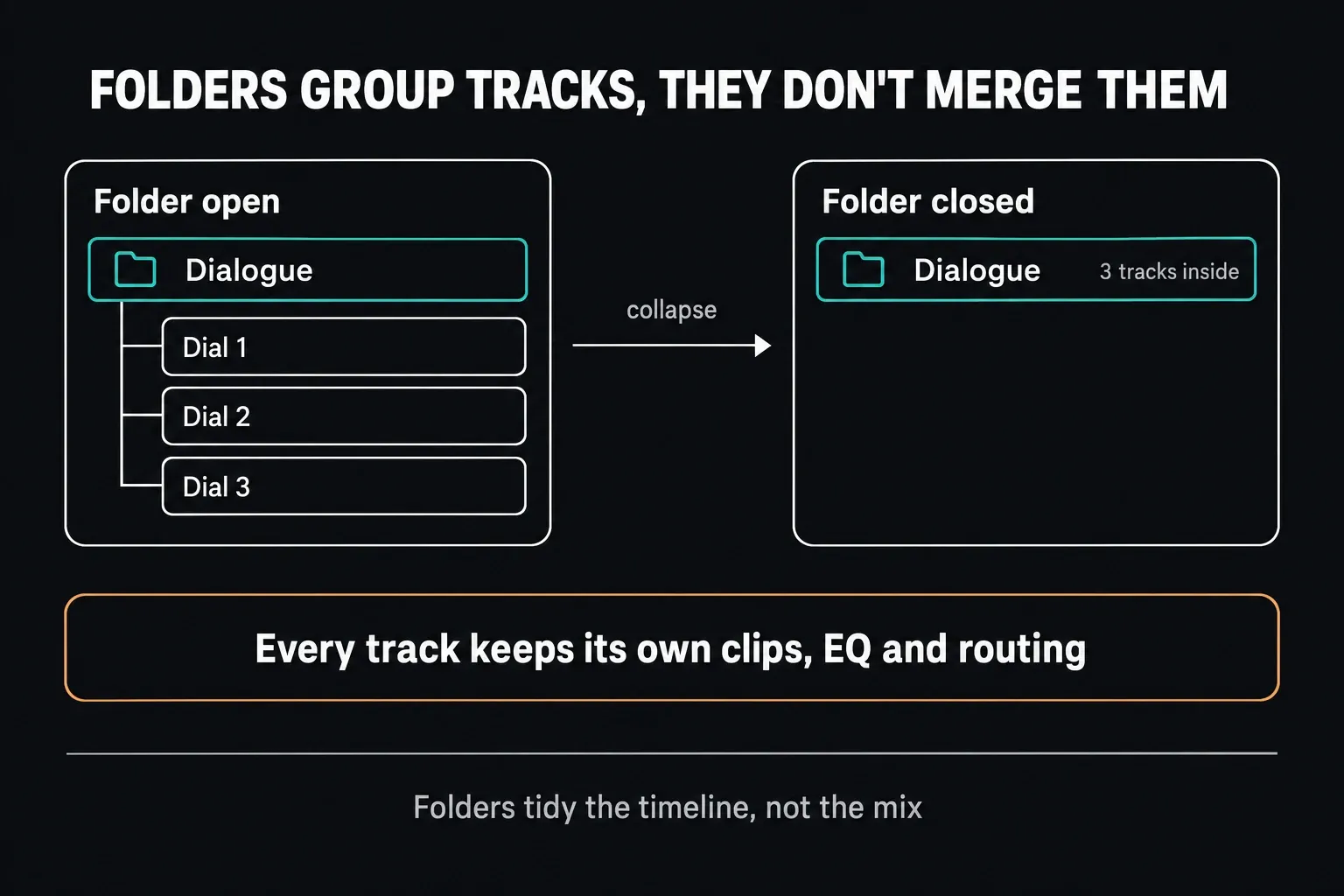
Fusion folds in the Krokodove toolset with more than 70 graphics and updates the Macro Editor. Fairlight adds collapsible track folders, six-band clip EQ, EQ and level matching, and Chain FX. Track folders only organize things: closing one hides the tracks inside it without merging them.
Free vs. Studio in Resolve 21
Free still covers the core Edit, Color, Fusion and Fairlight workflow, collaboration, and mastering up to Ultra HD 3840 × 2160 at 60 fps. Codec support still depends on platform and format. Studio adds the AI tools named above, more Resolve FX, higher frame-rate and resolution support, MultiMaster and extra delivery and automation features.
Buy Studio for a feature you'll actually use. Photo albums and core grading may be all you need from Free, while IntelliSearch, tethered capture, MultiMaster or a Python-based workflow can make Studio necessary. Set that need against the current $295 US desktop license price. The cost and licensing guide explains the purchase options; a useful new feature doesn't automatically pay for the upgrade.
System Requirements: Check the Distribution You Install
For Free 21.1 on a Mac, Blackmagic lists macOS 15 Sequoia or later, an Apple Silicon computer, and 8 GB of memory, or 16 GB with Fusion. The Studio readme adds at least 16 GB for advanced AI tools and 32 GB for background rendering and analysis. Windows x86, Windows ARM and Linux have their own requirements. Check your edition and platform in the Resolve 21 system requirements guide before downloading.
A minimum requirement only tells you the installer is supported. Whether your timeline plays and renders comfortably comes down to codec, resolution, frame rate, temporal effects, Fusion complexity, VRAM, memory and storage throughput.
Before You Upgrade From Resolve 20
The 21.1 installer notes name Resolve 20.3.2: the project library can stay accessible there, but an individual project created or opened in 21.1 can't. Leave the pre-upgrade library backup and DRP exports untouched. Exporting a DRP after conversion won't turn it back into a Resolve 20 project, and a project export doesn't replace a backup of the source media.
For the full sequence, see how to update to DaVinci Resolve 21: backups, the installer, the library prompt and a test on a copied project. The DaVinci Resolve tutorial hub maps the wider learning path, and if the page layout itself is new to you, the Resolve beginner tutorial is a better first stop than judging the update by feature names.
DaVinci Resolve 21 FAQ
What is the latest DaVinci Resolve 21 version?
When I checked on October 5, 2026, Blackmagic's latest build was DaVinci Resolve 21.1.1 build 10 for macOS, Windows, Windows ARM and Linux, posted October 2. It's a maintenance update to 21.1, which shipped September 8. Look at the official support page again before installing, since a newer build can turn up at any time.
When did DaVinci Resolve 21 come out?
Blackmagic announced Resolve 21 and opened a free public beta on April 13, 2026. The final release followed on June 3, then four 21.0.x maintenance updates, 21.1 on September 8 and 21.1.1 on October 2.
Is DaVinci Resolve 21 out of beta?
Yes. It left beta with the final release on June 3, 2026, and it has had regular maintenance updates since. A final release still doesn't guarantee that every project, plug-in or hardware combination is trouble-free.
Is the Resolve 21 Photo page free?
The core Photo page, albums and the grading workflow are in Free. Studio is required for tethered capture and for any Studio-only AI tool or Resolve FX you use on photos. Live capture isn't supported on Linux or iPad.
Is IntelliSearch free in Resolve 21?
No. The Resolve 21 Reference Manual labels IntelliSearch as Studio Version Only, and its Faster and Better model packages are separate downloads through Extras Download Manager.
Can Resolve 21 projects open in Resolve 20?
Don't count on backward compatibility once a project has been opened in 21.1. Blackmagic says the library can stay compatible with 20.3.2, but an individual project created or opened in 21.1 is no longer accessible there. Keep the backups and critical DRP exports you made before the update.
Does Resolve 21 work on Intel Macs?
Not the current release. Desktop 21.1 and 21.1.1 require Apple Silicon and macOS 15 Sequoia or later, and the current Mac installer isn't an Intel build. On an Intel Mac you need a compatible earlier Resolve version or supported hardware.
Is DaVinci Resolve Studio 21 a subscription?
No. The standard desktop Studio license is currently listed at $295 in the United States as a one-time purchase, not a monthly subscription. Check the license type before paying; Cloud Organization rentals and the iPad purchase are separate options.
